
Choosing how to take notes can shape the way you think, learn, and remember. Today, many people face a clear choice: digital note taking tablets or paper notebooks. Each method has strong fans. Some love the feel of pen on paper. Others depend on the speed and power of digital tools. To make the right decision, you need to look beyond the basics. This article will show you every side—practical details, hidden costs, common mistakes, and unexpected benefits. If you want to boost your productivity, organize your life, or simply enjoy writing more, keep reading.
Understanding Digital Note Taking Tablets
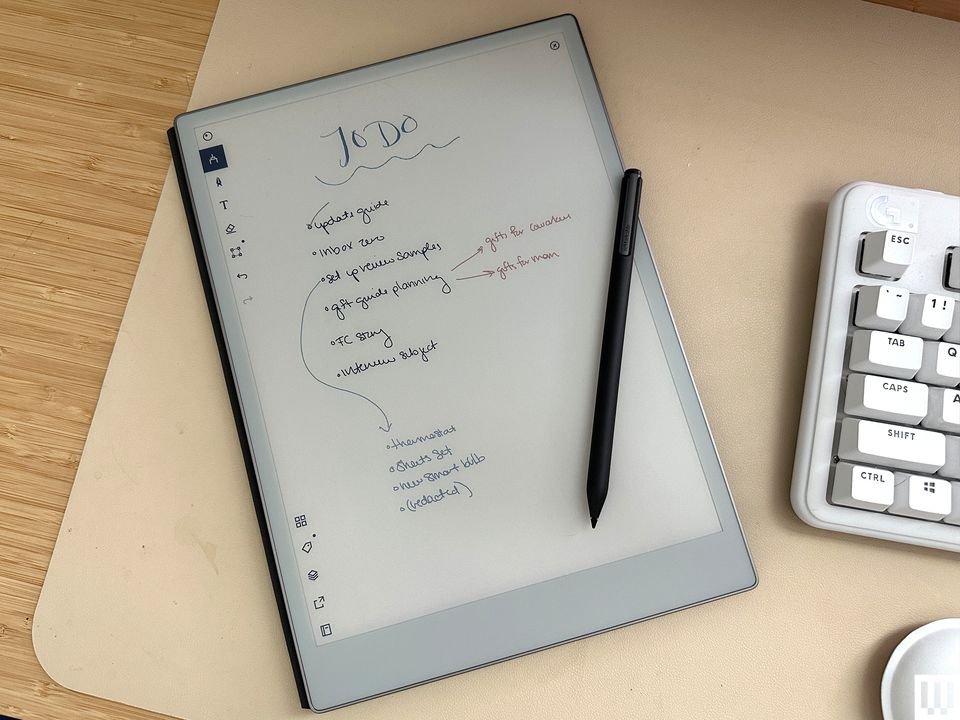
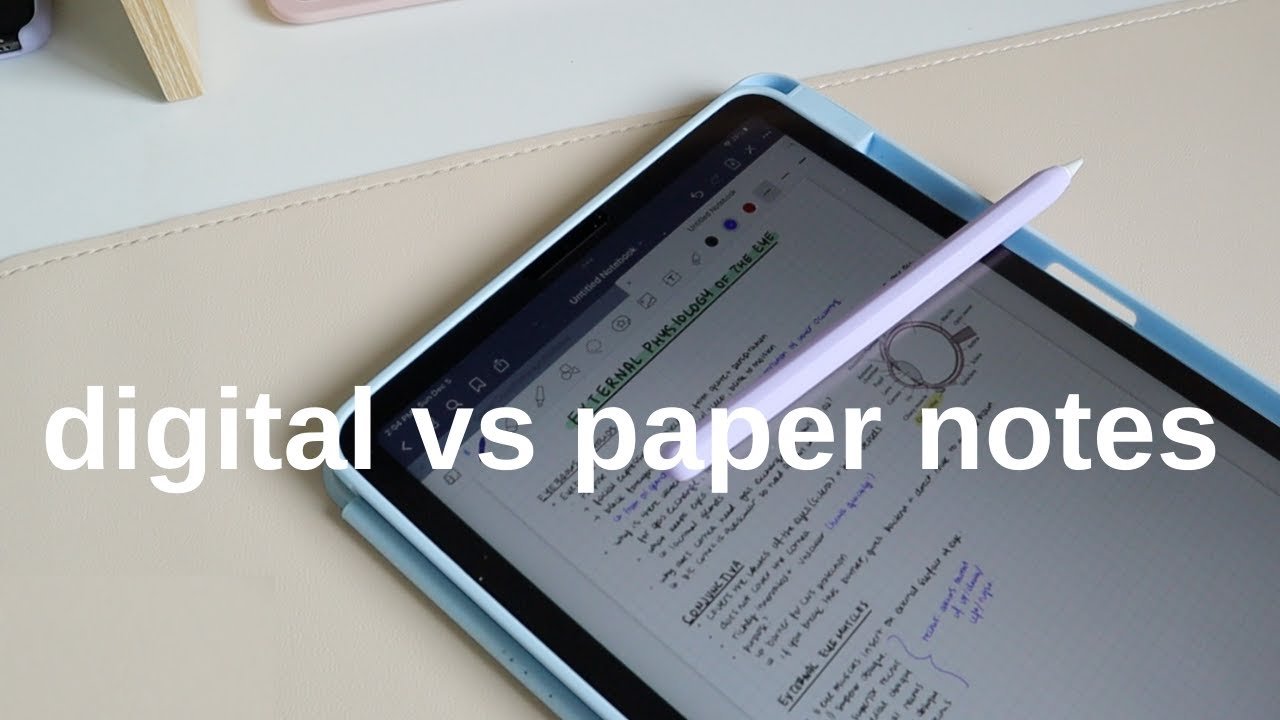
A digital note taking tablet is a device designed for writing, drawing, and organizing notes electronically. Popular brands include iPad (with Apple Pencil), Samsung Galaxy Tab, and reMarkable. These tablets use touchscreens and styluses to mimic handwriting, but offer much more.
Key Features
- Handwriting Recognition: Many tablets can convert your handwriting into typed text. For example, the iPad’s Notes app and Samsung’s S Pen software recognize and search your handwritten notes.
- Cloud Sync: Your notes are stored online. You can access them from your phone, laptop, or any other device.
- Multimedia Integration: Easily add photos, voice memos, PDFs, or web clippings into your notes.
- Organization Tools: Tagging, folders, and search functions make it easy to find what you wrote weeks or months ago.
- Unlimited Pages: No need to buy a new notebook when you run out of space.
Common Devices
- Apple iPad (with Apple Pencil)
- Samsung Galaxy Tab S Series
- Microsoft Surface Pro
- ReMarkable 2
- BOOX Note Air
Each has its own software and hardware advantages.
Practical Example
Suppose you are a university student. During a lecture, you can record audio, write notes, and take photos of the whiteboard—*all in one place*. Later, you can search for any word you wrote or heard.
Understanding Paper Notebooks
A paper notebook is the classic way to jot down notes, ideas, and drawings. From simple spiral-bound pads to luxury Moleskine journals, millions of people still use paper daily.
Key Features
- Tactile Experience: Many people find writing on paper more satisfying and memorable.
- No Power Needed: Paper never runs out of battery or crashes.
- Creativity Boost: Doodling, mind mapping, and freeform sketches come naturally.
- No Distractions: No notifications or apps to break your focus.
- Low Cost: Even the best notebooks are cheaper than tablets.
Types Of Notebooks
- Spiral-bound: Easy to flip and fold.
- Hardcover journals: Durable and stylish.
- Legal pads: Perfect for quick notes.
- Grid, lined, or blank paper: Choose the format that fits your style.
Practical Example
A designer brainstorming new ideas might fill a notebook with sketches and quick notes, free from screens or apps.
Comparing Digital Note Taking Tablets And Paper Notebooks
To help you see the differences clearly, here’s a side-by-side comparison.
| Feature | Digital Note Taking Tablet | Paper Notebook |
|---|---|---|
| Portability | Light but needs charging | Very portable, no power needed |
| Writing Experience | Some lag, but customizable | Instant, tactile feedback |
| Organization | Search, tags, unlimited pages | Manual, physical indexing |
| Editing | Easy erase, move, copy text | Correction fluid, rewriting |
| Cost | High upfront, low long-term | Low, but adds up over years |
| Distraction | Possible from apps, alerts | None |
| Backup & Security | Cloud backup, password protection | Can be lost or damaged |
Non-obvious Insights
- Digital tablets are not always faster. For simple note-taking, flipping open a notebook can be quicker than unlocking a device and opening apps.
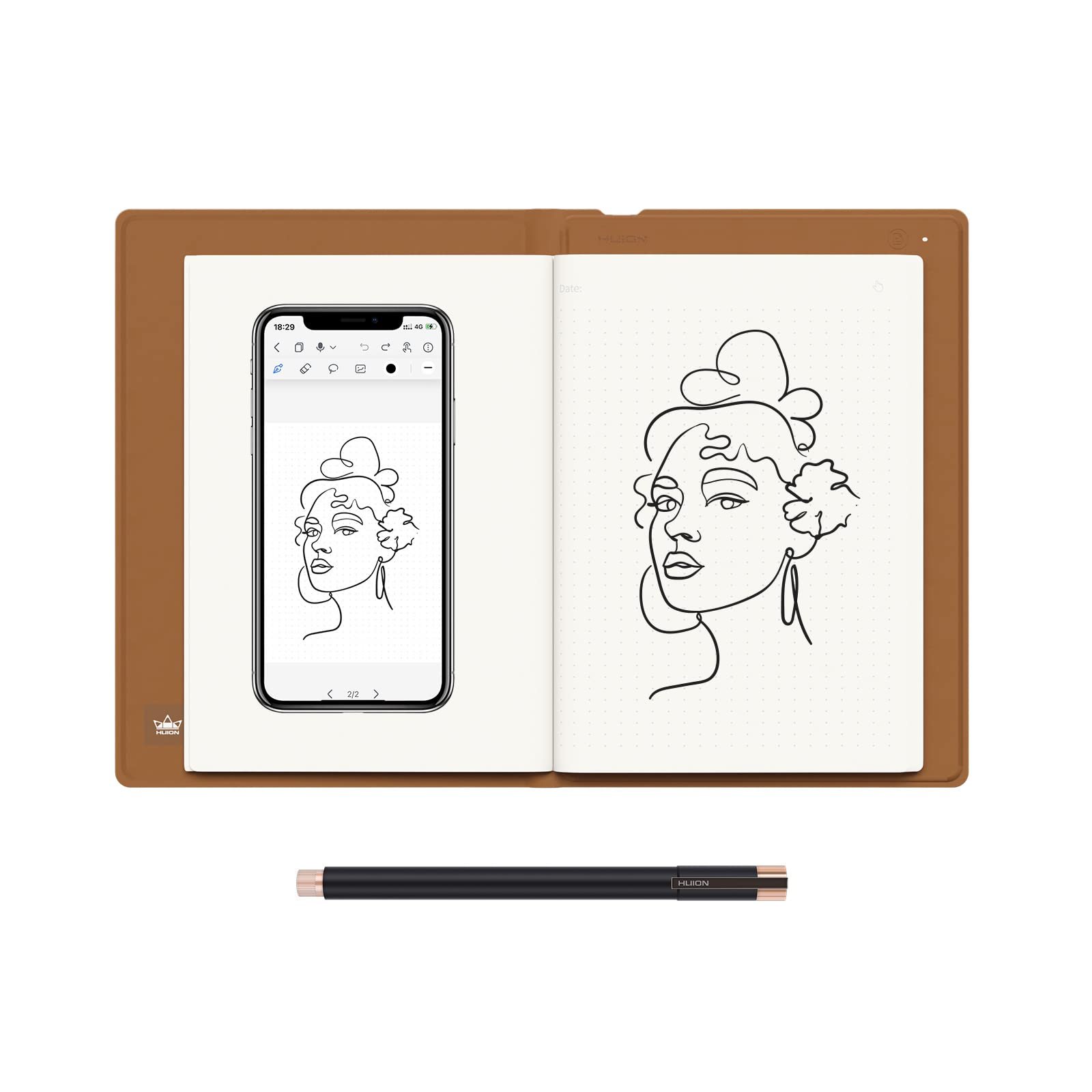
- Paper notebooks can be digitized with scanning apps, but this adds extra steps and is never as seamless as digital notes.
Pros And Cons Of Digital Note Taking Tablets
Advantages
- All-in-One Solution: Take notes, read textbooks, annotate PDFs, and browse the web on one device.
- Easy Editing: Move, delete, or duplicate notes without making a mess.
- Multimedia: Insert images, record audio, and add links directly to your notes.
- Sync and Share: Instantly send notes to classmates, colleagues, or the cloud.
- Eco-Friendly: Use less paper, making it a greener option in the long run.
Disadvantages
- Expensive: Tablets and styluses cost hundreds of dollars.
- Battery Life: You can’t write if the device is out of charge.
- Learning Curve: Apps have features that take time to master.
- Screen Fatigue: Staring at a screen for hours can cause eye strain.
- Distraction Risk: Social media and games are a tap away.
Pros And Cons Of Paper Notebooks
Advantages
- Simplicity: Open and write—no setup, no learning.
- Focus: No digital interruptions.
- Physical Archive: Flipping through old notebooks feels tangible and nostalgic.
- Handwriting Benefits: Some studies suggest that writing by hand improves memory retention.
- Personal Touch: Doodles, sketches, and handwriting make notes unique.
Disadvantages
- Limited Organization: Hard to search or reorganize notes.
- Easy to Lose or Damage: Spills, fire, or loss can erase your work forever.
- No Backup: Once it’s gone, it’s gone.
- Space Needed: Multiple notebooks take up room in your bag or on shelves.
- No Multimedia: Can’t add photos, web links, or audio.
Cost Comparison
The price gap is one of the biggest factors. Let’s break it down.
| Item | Digital Tablet (iPad Example) | Paper Notebook |
|---|---|---|
| Device/Notebook | $329 (iPad 9th Gen) + $99 (Apple Pencil) | $10 (Moleskine) |
| Refills/Upgrades | $0/year (with care) | $10 every 2 months (average user) |
| Software | $0–$10/year (optional apps) | None |
| Total (3 years) | $428–$458 | $180 |
Insight: Over time, if you take lots of notes, a tablet’s cost can approach the total price of buying many premium notebooks. But for light note-takers, paper remains cheaper.
Productivity And Workflow
How Do These Tools Impact Your Daily Work?
Digital Note Taking Tablets
- Quick Search: Find any note instantly by keyword.
- Integrations: Link with task managers and calendars.
- Flexible Workflows: Rearrange pages, merge notes, or export to PDF.
Paper Notebooks
- Focused Sessions: Less switching between tasks.
- Creative Freedom: Free drawing and mind mapping.
- Slower, but Deeper Thinking: Writing by hand can help you process ideas better.
Hidden Factor: Some people use both. For example, they brainstorm on paper, then organize final notes digitally.
Durability And Reliability
Digital Note Taking Tablets
- Data Loss: Cloud backup prevents accidental loss.
- Physical Damage: Screens can crack, but cases help.
- Software Support: Devices last 3–5 years before needing replacement.
Paper Notebooks
- Wear and Tear: Pages can rip, covers can bend.
- Archival Quality: Acid-free paper can last decades.
- Disaster Risk: Water, fire, or theft destroys notes instantly.
Tip: Always back up important paper notes by taking photos or scanning.
Credit: dliras.us
Environmental Impact
Digital and paper note-taking have different effects on the environment.
- Tablets: Manufacturing uses rare metals and energy, but ongoing use saves paper.
- Notebooks: Made from trees, but can be recycled. Frequent use increases demand for paper.
A study by the Environmental Paper Network found that the average notebook user consumes 5–10 kg of paper each year. Choosing recycled notebooks or using both methods can help reduce your footprint.
User Experience: Real-world Feedback
Digital Tablet Users
Many professionals and students say digital tablets help them stay organized. “I never lose my notes now,” says one graduate student, “and I can share lecture summaries with my group instantly. ” However, some people dislike typing on glass or staring at a screen all day.
Paper Notebook Fans
Writers, artists, and thinkers often prefer paper. “Writing by hand clears my mind,” says a designer. “I can sketch, cross out, or doodle without limits. ” But, losing a notebook can be devastating.
Surprising Insight: Some tablet users switch back to paper for creative work, and some paper fans eventually digitize their best ideas for sharing or backup.
Credit: www.youtube.com
When To Choose Each Method
Choose A Digital Note Taking Tablet If:
- You write a high volume of notes daily.
- You want to search, edit, and share your notes.
- You work across devices or need cloud backup.
- You often annotate PDFs, read eBooks, or mix media.
Choose A Paper Notebook If:
- You value the tactile, focused writing experience.
- You do creative work—drawing, brainstorming, mind mapping.
- You want a low-cost, distraction-free tool.
- You don’t want to worry about batteries or software updates.
Common Mistakes To Avoid
- Ignoring Backup: If you use paper, always photograph or scan critical pages. If you use a tablet, set up automatic cloud sync.
- Choosing for the Wrong Reason: Don’t pick a tablet just because it’s trendy, or a notebook only because you “always have.” Match your tool to your workflow.
- Not Testing Both: Try both for a week and see what fits your real-life needs.
- Forgetting Eye Health: Take breaks from screens, even with E Ink tablets.
- Overlooking Costs: Factor in accessories, like styluses or premium notebooks, before you decide.
The Hybrid Approach
Many successful people use a hybrid system—paper for creative work, digital for organization and storage. For example, writers often brainstorm on paper, then type or scan the best ideas into a digital app for editing and sharing.
If you want to maximize both creativity and productivity, consider combining methods.
Frequently Asked Questions
What Is The Best Digital Note Taking Tablet For Students?
The Apple iPad (with Apple Pencil) is popular for students because of its app support and handwriting recognition. The reMarkable 2 is great for those who want an E Ink display that feels like real paper.
Do Digital Notes Help You Remember Better Than Paper Notes?
Studies suggest that handwriting on paper can improve memory. However, digital notes are easier to organize and review. The best method depends on your learning style.
Can I Use Both Digital And Paper Notes Together?
Yes. Many people brainstorm on paper, then organize and store their final notes digitally. Scanning apps make it easy to combine both.
Are Digital Note Taking Tablets Worth The Cost?
If you take lots of notes, annotate documents, or want cloud backup, tablets can save time and keep you organized. For light or creative use, paper may be more cost-effective.
How Do I Back Up My Paper Notebooks?
You can scan or photograph important pages, then store them in cloud services like Google Drive or Dropbox. This protects your notes from loss or damage.
For more in-depth research, you can check the findings at Wikipedia Note-Taking.
Credit: www.amazon.com
Final Thoughts
There is no one-size-fits-all answer. The right choice depends on your habits, needs, and budget. Digital note taking tablets offer speed, search, and sharing. Paper notebooks give you focus and freedom. Try both, and don’t be afraid to mix styles. Your perfect system is the one that helps you think, create, and remember best.