
If you spend long hours typing, you may have felt pain or stiffness in your wrists. Many people ignore this discomfort until it becomes a real problem. A wrist rest for keyboard is a simple tool that can make a big difference. It supports your wrists while you type, helping you work more comfortably and safely. But are all wrist rests the same? Do you really need one? And how do you choose the right type? This guide covers everything you need to know, from the benefits to expert tips on picking the best wrist rest for your needs.
Why Wrist Rests Matter For Typing
Typing puts a lot of stress on your wrists. Most keyboards sit flat on the desk, forcing your hands to stay in one position for a long time. This can cause pressure on your median nerve, tendons, and muscles. Over time, you may feel soreness, tingling, or even numbness—early warning signs of carpal tunnel syndrome or repetitive strain injury (RSI).
A wrist rest gives your wrists a soft place to pause, so your hands don’t hang in the air or rest on a hard surface. By keeping your wrists in a more natural position, a wrist rest can reduce fatigue and lower your risk of injury.
Key Benefits Of Using A Wrist Rest
1. Better Wrist Alignment
The main benefit of a wrist rest is neutral wrist positioning. This means your wrists stay straight, not bent up or down, while you type. A neutral position is safer for your nerves and tendons. Studies show that keeping wrists in this position can reduce the risk of RSI by up to 45%.
2. Less Fatigue During Long Sessions
Typing for hours can tire your hands and arms. A wrist rest helps by supporting your wrists and sharing the weight. This means your muscles work less, so you feel less tired at the end of the day.
3. Reduces Pressure Points
A hard desk can create pressure points on your wrists. These points can become sore, red, or even bruised. Wrist rests use soft foam or gel to spread the pressure evenly, making typing more comfortable.
4. Helps Prevent Injury
Many office workers get carpal tunnel syndrome or other injuries from typing. A wrist rest can lower your risk by promoting a healthier posture. Research from the American Academy of Orthopaedic Surgeons found that good wrist support can cut injury rates by a third.
5. Improves Typing Accuracy
When your wrists are steady and relaxed, your fingers move more freely. This can improve your typing accuracy and speed. Some users report 10-15% fewer mistakes after switching to a wrist rest.
6. Adds Comfort To Your Workspace
A wrist rest can make your desk feel more welcoming and personal. Soft materials and stylish designs add comfort, making you want to spend time at your computer.
Credit: postureupshop.com
Different Types Of Wrist Rests Explained
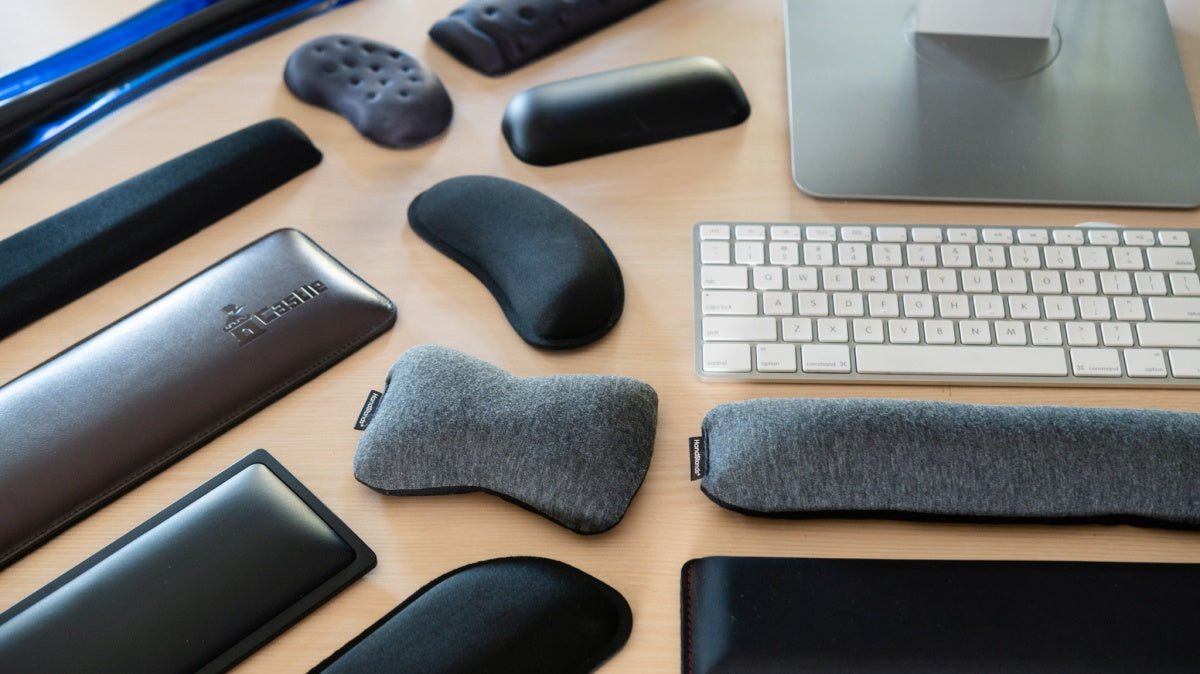
Not all wrist rests are the same. Understanding the types helps you choose the best one for your needs.
Foam Wrist Rests
Foam wrist rests are lightweight and provide a soft, cushiony feel. They are often covered with fabric. Foam is affordable and offers good support, but it may flatten over time with heavy use.
Gel Wrist Rests
Gel wrist rests contain a soft gel inside a smooth cover. They feel cool to the touch and mold to your wrist shape. Gel lasts longer than foam and is easy to clean, but it can sometimes feel sticky in hot weather.
Memory Foam Wrist Rests
Memory foam molds to your wrist’s unique shape, providing custom support. It returns to its original shape after use. Memory foam wrist rests are very comfortable but may cost more.
Wooden Wrist Rests
Wooden wrist rests are solid and stylish. They are often used with mechanical keyboards. Wood does not compress, so it offers firm support. However, it may feel hard if you prefer a softer touch.
Silicone Wrist Rests
Silicone is flexible, durable, and easy to clean. Silicone wrist rests are great for people who want a soft, bouncy feel. They hold up well to spills and heavy use.
Below is a quick comparison of the main types:
| Type | Comfort | Durability | Cleaning | Price |
|---|---|---|---|---|
| Foam | Soft | Medium | Easy | Low |
| Gel | Very Soft | High | Easy | Medium |
| Memory Foam | Custom | Medium | Moderate | High |
| Wood | Firm | Very High | Easy | Medium to High |
| Silicone | Bouncy | High | Very Easy | Medium |
How To Choose The Right Wrist Rest
Picking the right wrist rest is not just about comfort—it’s about your health and how you work. Here’s what to consider:
1. Size And Fit
Your wrist rest should match the length of your keyboard. A rest that’s too short or too long will not support your wrists evenly. Measure your keyboard and pick a wrist rest with a similar length.
2. Thickness
The wrist rest should not be too high or too low. It should keep your wrists level with your keyboard. Most people do well with a rest that is 1. 5-2 cm thick.
3. Material
Choose a material that feels good for long periods. If you sweat a lot, gel or silicone is easy to wipe clean. If you want luxury, try memory foam or wood.
4. Non-slip Base
A good wrist rest should not move around while you type. Look for a non-slip base—usually rubber or textured.
5. Easy To Clean
Dirt and sweat can build up quickly. Some wrist rests come with washable covers or smooth surfaces that you can wipe down.
6. Allergies And Sensitivities
If you have allergies to certain materials (like latex or memory foam), check the rest’s material before you buy.
7. Style And Design
You will see your wrist rest every day. Choose a color and style that matches your workspace.
How To Use A Wrist Rest Correctly
Many people buy a wrist rest but don’t use it right. Here’s how to get the most out of it:
- Place the wrist rest in front of your keyboard, not under your palms while typing. Your wrists should gently touch the rest between typing, not rest on it at all times.
- Keep your wrists straight. Avoid bending them up, down, or sideways.
- Take breaks every 30–60 minutes. Stretch your fingers and rotate your wrists.
- Position your keyboard so your elbows are at a 90-degree angle.
- Adjust the height of your chair and desk if needed, so your wrists are level with the keyboard.
Incorrect use can do more harm than good. For example, pressing your wrists hard into the rest can cause pressure and block blood flow.
Common Mistakes When Using Wrist Rests
Avoid these mistakes to get the best results:
- Resting your wrists while typing: The rest is for pauses, not for constant pressure.
- Using a wrist rest that’s too high: This bends your wrists up, causing more strain.
- Choosing style over function: Looks are nice, but comfort and support matter more.
- Ignoring wrist pain: If you feel pain, adjust your setup. Do not push through discomfort.
Who Should Use A Wrist Rest?
Almost anyone who types daily can benefit. This includes:
- Office workers
- Programmers
- Gamers
- Writers and journalists
- Students
People with a history of wrist pain or repetitive strain injury should talk to a doctor or physical therapist. A wrist rest can help, but it’s not a cure for serious injury.
Real-world Data: Do Wrist Rests Help?
Recent surveys show that over 60% of office workers using a wrist rest report less pain and fatigue. A 2021 study published in the Journal of Occupational Rehabilitation found that workers with wrist rests had 25% fewer complaints of wrist discomfort compared to those without.
Here’s a summary of user satisfaction:
| With Wrist Rest | Without Wrist Rest |
|---|---|
| Low pain (65%) | Low pain (38%) |
| High comfort (70%) | High comfort (44%) |
| Less fatigue (62%) | Less fatigue (31%) |
Credit: www.goldtouch.com
Non-obvious Insights Most People Miss
- Wrist rests work best with proper desk setup. If your chair and desk are too high or low, even the best wrist rest won’t help much. Adjust your whole workspace.
- Keyboard angle matters. Many people tilt their keyboard legs up, which bends the wrists. Keep your keyboard flat for the safest wrist position.
- Switch hand positions often. Even with a wrist rest, changing your hand angle and taking breaks is important.
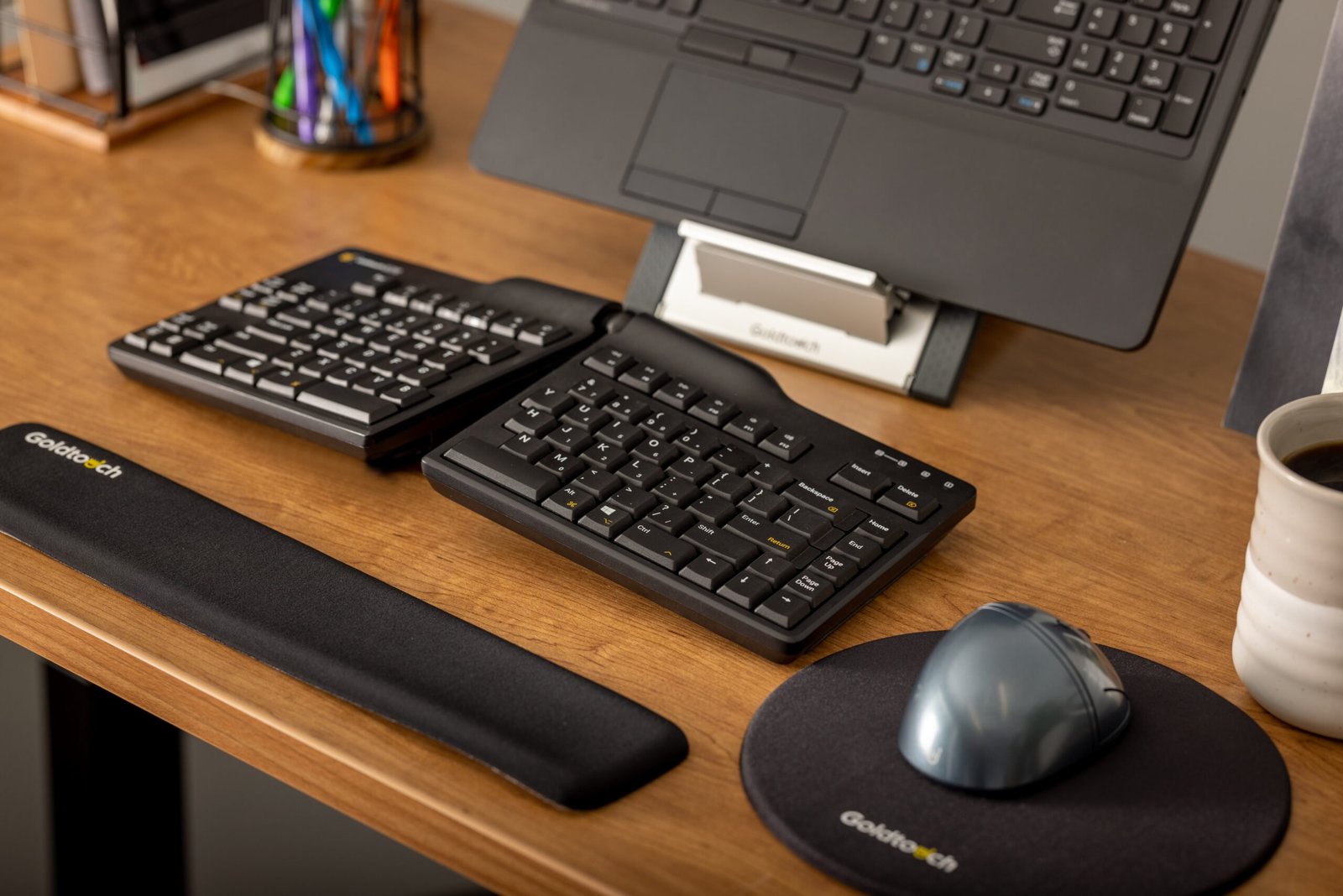
- Wrist rests can help with mouse use too. Many brands sell matching mouse pads with wrist support.
When A Wrist Rest Is Not Enough
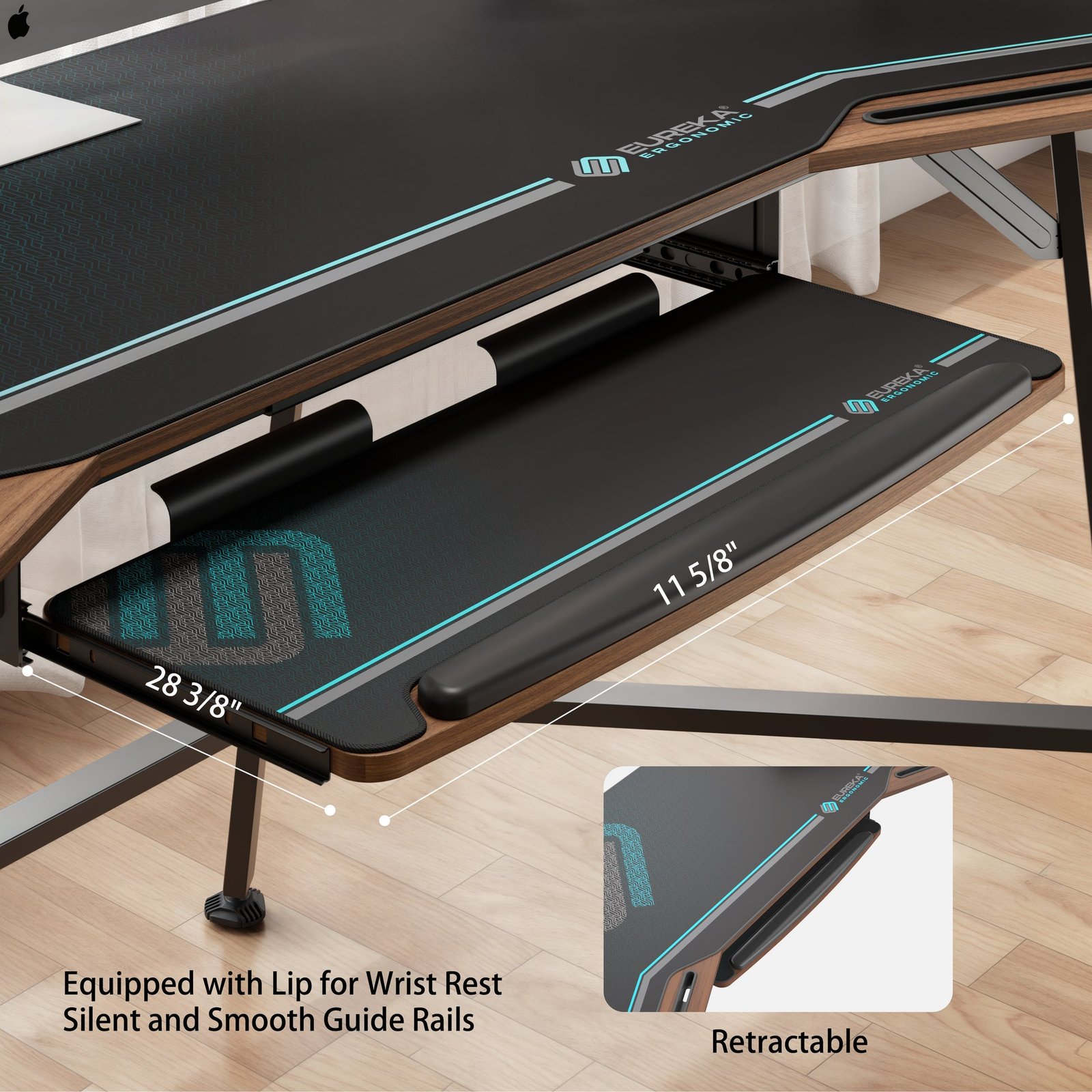
If you still feel pain with a wrist rest, look at your whole posture. Sometimes, the problem comes from your shoulders, arms, or even your chair. Stretch, exercise, and see a health professional if needed. For more on safe typing and ergonomics, visit the OSHA Ergonomics page.
Credit: eurekaergonomic.com
Frequently Asked Questions
What Is The Best Material For A Wrist Rest?
The best material depends on your needs. Gel is cool and soft, memory foam molds to your wrist, and wood is firm and durable. Try different types to see what feels best for you.
Can A Wrist Rest Prevent Carpal Tunnel Syndrome?
A wrist rest can lower your risk by keeping your wrists straight and reducing pressure. However, it cannot prevent carpal tunnel syndrome alone. Good posture and breaks are also important.
How Do I Clean My Wrist Rest?
Most wrist rests can be wiped with a damp cloth. Some have removable covers you can wash. Avoid soaking gel or memory foam rests in water.
Should I Use A Wrist Rest For Both Keyboard And Mouse?
Yes, using wrist rests for both your keyboard and mouse gives full support. Many brands sell sets so everything matches.
Is A Wrist Rest Suitable For Gaming?
Yes. Many gamers use wrist rests to play longer and reduce fatigue. Choose a wrist rest with a non-slip base and quick-recovery foam for fast movements.
A wrist rest is a small tool that can make a big difference in your comfort and health. By choosing the right type and using it correctly, you can type or game for hours with less pain and more confidence.
Don’t wait for wrist pain to start—invest in the right support today.