
Sitting at a desk for long hours is a normal part of work and study today. But poor posture during these hours can lead to pain, tiredness, and even long-term health problems. Many people do not realize how much their posture affects their health and comfort.
The good news is, with the right steps, you can improve your posture and feel better every day.
This article will guide you through everything you need to know about how to improve posture while sitting at a desk. You will learn why posture matters, how to set up your workspace, practical habits, stretches, and even what to avoid. No matter your age or job, these tips will help you reduce pain and boost your energy.
Why Good Posture Matters
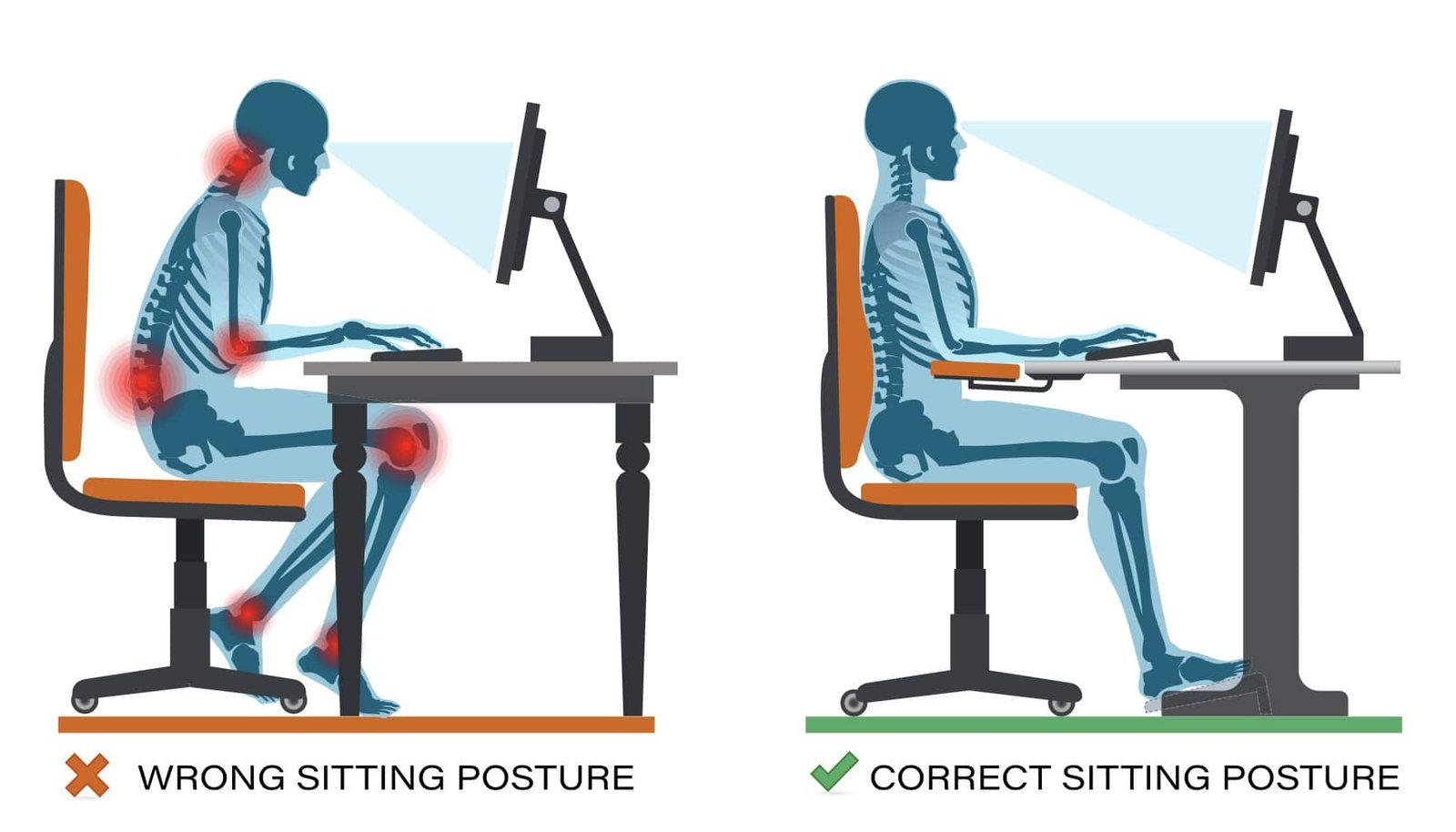
Good posture is not just about looking confident. It keeps your spine, muscles, and joints in the right position. When you slouch or hunch over, your body has to work harder. Over time, this can cause:
- Back pain: One of the most common health issues worldwide
- Neck and shoulder tension: Leading to headaches and sore muscles
- Fatigue: Bad posture makes your body use more energy
- Poor breathing: Slouching can compress your lungs
- Long-term injury: Like herniated discs or nerve problems
Research shows that people with better posture have fewer pain complaints and miss less work. In fact, the World Health Organization notes that musculoskeletal problems are a leading cause of disability. Simple changes can make a big difference in your daily comfort and long-term health.
Setting Up Your Desk For Better Posture
A well-designed workspace is the first step to good posture. Here’s how to set up your desk and chair for the best results.
Adjust Your Chair
Your chair is the most important part of your setup. Look for a chair with these features:
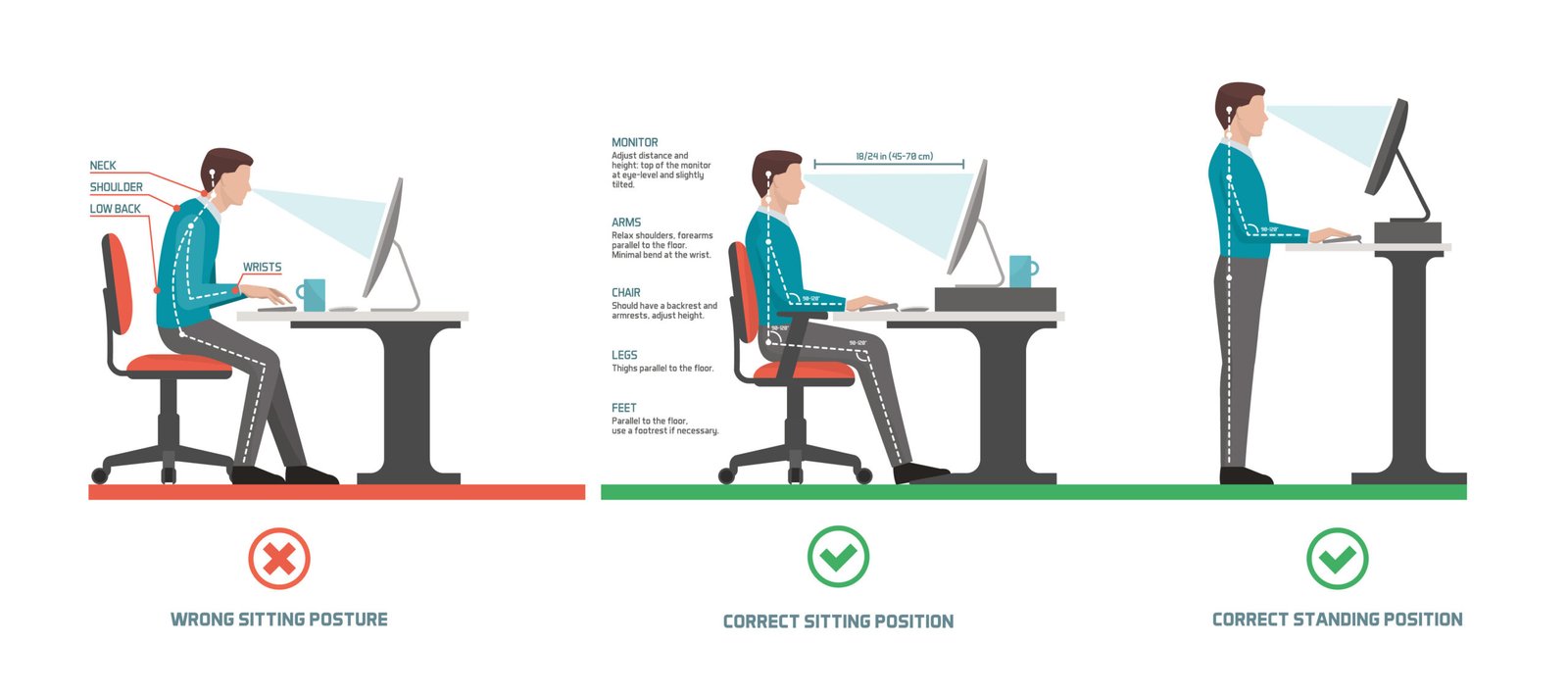
- Adjustable height: Your feet should be flat on the floor
- Lumbar support: Helps keep your lower back in its natural curve
- Comfortable seat: Not too soft or too hard
Adjust the height so your knees are at a 90-degree angle and your thighs are parallel to the floor. Sit back in the chair so your spine is fully supported.
Position Your Monitor
Your computer screen should be at eye level. If it’s too low, you’ll hunch your neck. If it’s too high, you’ll strain your eyes and neck. Use a monitor stand or even a stack of books if needed. Place the monitor about an arm’s length away.
Desk Height And Keyboard Placement
The desk should be high enough for your elbows to bend at a 90-degree angle, close to your sides. Your wrists should be straight when typing. If your desk is too high, consider using a keyboard tray.
Mouse And Accessories
Keep your mouse close to your keyboard. Avoid reaching far, which can strain your shoulder. Use a mousepad with wrist support if needed.
Lighting
Good lighting helps you avoid leaning forward to see. Place your desk near a window if possible, or use a bright desk lamp.
How To Sit Correctly At Your Desk
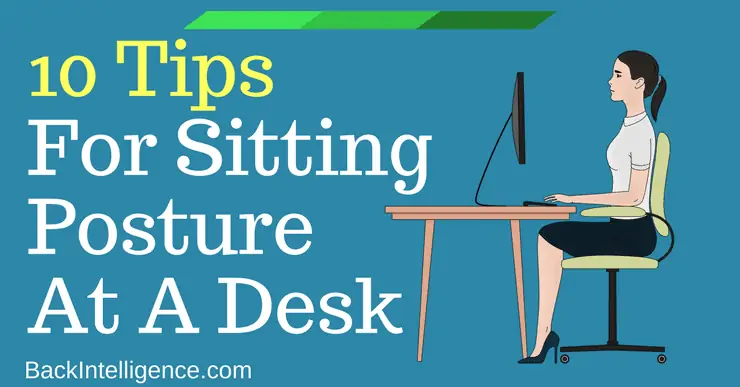
Even with the perfect setup, your sitting habits matter. Here’s what good posture looks like:
- Feet flat on the floor. Do not cross your legs.
- Knees at hip level. Not higher or lower.
- Back straight and shoulders relaxed. Avoid hunching or rounding your shoulders.
- Elbows close to your body, bent at 90 degrees.
- Head balanced over your spine, not jutting forward.
Check your posture every 30 minutes. If you notice you’re slouching, reset your position.
Habits For Better Posture
Small daily habits can help you maintain good posture, even when you’re busy.
Take Regular Breaks
Sitting too long is bad, even with perfect posture. Stand up and move every 30–60 minutes. Walk around, stretch, or do a quick task away from your desk.
Stretch At Your Desk
Simple stretches can relax tight muscles and reset your posture. Try these every hour:
- Shoulder rolls: Lift and roll your shoulders backward 10 times
- Neck stretches: Tilt your head gently to each side
- Seated twists: Twist your upper body gently to each side
Use Reminders
Set a timer or use a posture app to remind you to check your posture. Some people place a sticky note on their monitor as a visual cue.
Strengthen Core Muscles
A strong core supports your back and keeps you upright. Add simple core exercises to your routine, like planks or bridges, a few times a week.
Stay Hydrated
Drinking water helps your muscles stay relaxed and prevents fatigue.
Credit: patanjalisannyasashram.com
Comparing Common Sitting Positions
To understand the impact of posture, compare these common sitting styles:
| Sitting Style | Spine Alignment | Common Effects |
|---|---|---|
| Upright (good posture) | Natural curve | Less pain, more energy |
| Slouched | Rounded back | Back pain, fatigue |
| Leaning forward | Neck jutting | Neck/shoulder pain |
| Legs crossed | Twisted hips | Hip/back pain |
As you can see, small changes in how you sit can cause big differences in how your body feels.
Best Desk Ergonomics Products
There are many tools to help you improve posture. Here are some popular options:
| Product | Main Benefit | Who Should Use |
|---|---|---|
| Ergonomic chair | Supports spine | Anyone sitting 4+ hours daily |
| Lumbar pillow | Extra lower back support | People with back pain |
| Monitor stand | Raises screen height | Laptop/PC users |
| Footrest | Keeps feet flat | Shorter people |
| Standing desk | Allows standing breaks | Desk workers seeking movement |
Choose products based on your biggest posture problem. For example, if your feet dangle, a footrest is a simple fix.
Credit: backintelligence.com
Common Mistakes To Avoid
Many people try to fix their posture, but some habits can make things worse. Watch out for these mistakes:
- Sitting too far from the desk: This causes you to lean forward.
- Ignoring your feet: Dangling feet or crossed legs twist your spine.
- Stiff posture: Sitting perfectly straight without relaxing makes muscles tired.
- Using only one armrest: This can tilt your body.
- Not adjusting chair height: Leads to poor elbow and wrist angles.
- Skipping breaks: Even the best posture needs regular movement.
A non-obvious insight: Many people focus only on their upper body, but your hips, feet, and even your eyes play a big role in good posture. Adjust everything, not just your chair.
Quick Desk Exercises For Better Posture
You don’t need a gym to build a healthy posture. These easy desk exercises take 1–2 minutes and can be done anytime.
- Shoulder blade squeeze: Sit up straight, pull your shoulder blades back and down, hold for 5 seconds, repeat 10 times.
- Chin tuck: Gently pull your chin backward (like making a double chin), hold for 5 seconds, repeat 10 times. This helps correct forward head posture.
- Seated side bend: Raise one arm, lean gently to the opposite side, hold for 10 seconds, switch sides.
- Ankle circles: Lift your feet slightly and make circles with your ankles. This boosts blood flow and prevents stiffness.
Doing these exercises regularly can reduce pain, increase focus, and make it easier to hold good posture naturally.
How Posture Affects Productivity And Mood
Many people don’t know that posture can change how you think and feel. Studies show that sitting upright can:
- Increase alertness: Good posture improves blood flow and oxygen to the brain
- Boost confidence: Upright sitting is linked to better self-esteem
- Reduce stress: Slouching increases feelings of stress and sadness
One study published by Health Psychology found that people who sat upright reported feeling happier and more energetic than those who slouched.
When To See A Professional
Sometimes, posture problems are caused by issues you can’t fix alone. If you have:
- Ongoing pain that doesn’t improve
- Numbness or tingling in your legs or arms
- Trouble sitting or standing for normal periods
It’s a good idea to see a physical therapist or doctor. They can check for deeper problems and give you a personalized plan. In some cases, you might need special exercises or treatment.
For more detailed medical advice on posture and ergonomics, see resources from the Mayo Clinic.
Credit: biofunctionalhealth.com
Simple Posture Fixes For Remote Workers
Remote work has made posture problems more common. At home, many people use kitchen chairs, sofas, or even beds to work. Here are quick fixes:
- Upgrade your chair: If you can’t buy one, use a pillow for lower back support.
- Raise your laptop: Use books to lift your screen to eye level.
- Use a separate keyboard and mouse: This helps keep your wrists straight.
- Work at a table, not the couch: Sofas encourage slouching.
- Take micro-breaks: Even 30 seconds of standing helps.
A non-obvious tip: If you work with a laptop, try to avoid using it directly on your lap for long periods. This can force you to bend your neck and back forward.
Tracking Your Progress
Improving posture is a journey. Track your habits and how you feel. Notice:
- Do you have less pain at the end of the day?
- Is it easier to focus?
- Are you sitting more upright without thinking?
Some people find it useful to take a photo of their posture once a week to see progress. Others use a journal to note changes in comfort or pain.
Frequently Asked Questions
What Is The Best Sitting Position For Posture?
The best position is sitting with feet flat, knees at hip level, back straight, shoulders relaxed, elbows at 90 degrees, and head over your spine. Avoid slouching or leaning forward.
How Long Should I Sit At My Desk Before Taking A Break?
Stand up and move every 30 to 60 minutes. Short, frequent breaks are better than longer, less frequent ones.
Can Poor Posture Cause Long-term Health Problems?
Yes. Bad posture can lead to chronic back and neck pain, headaches, reduced lung capacity, and even nerve issues if not corrected.
Are Standing Desks Better For Posture?
Standing desks can help by reducing sitting time, but they are not a magic fix. You still need to stand with good posture and take breaks to move.
What Are Some Simple Exercises To Improve Posture At My Desk?
Try shoulder blade squeezes, chin tucks, neck stretches, and seated twists. These help relax tight muscles and support good posture.
Improving your posture at your desk is a smart investment in your health, comfort, and productivity. With the right setup, daily habits, and simple exercises, you can prevent pain and feel better every day. Start with small changes, and soon, good posture will feel natural.