
Staring at a messy desk covered with tangled charging cables can be frustrating. You may spend minutes searching for your phone cord or untangling a USB cable, losing focus and energy. A magnetic cable holder for desk is a modern solution to this old problem. But does it actually help keep your workspace neat? And are they worth the price? In this review, you’ll find out how these smart organizers work, what makes them unique, and what to look for before buying one. Whether you’re a student, a remote worker, or just someone who loves a tidy environment, this guide will help you understand everything you need about magnetic cable holders.
What Is A Magnetic Cable Holder For Desk?
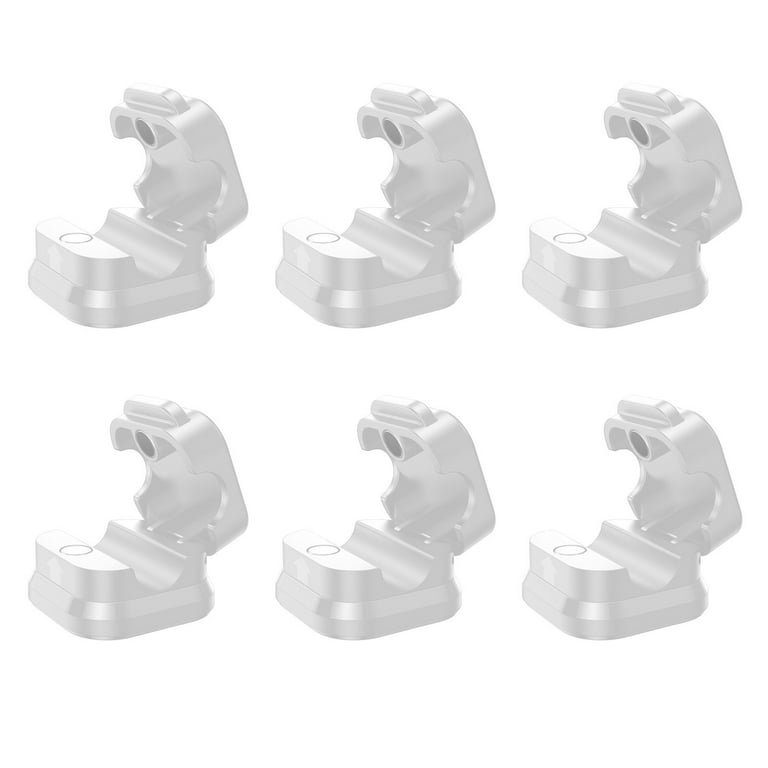
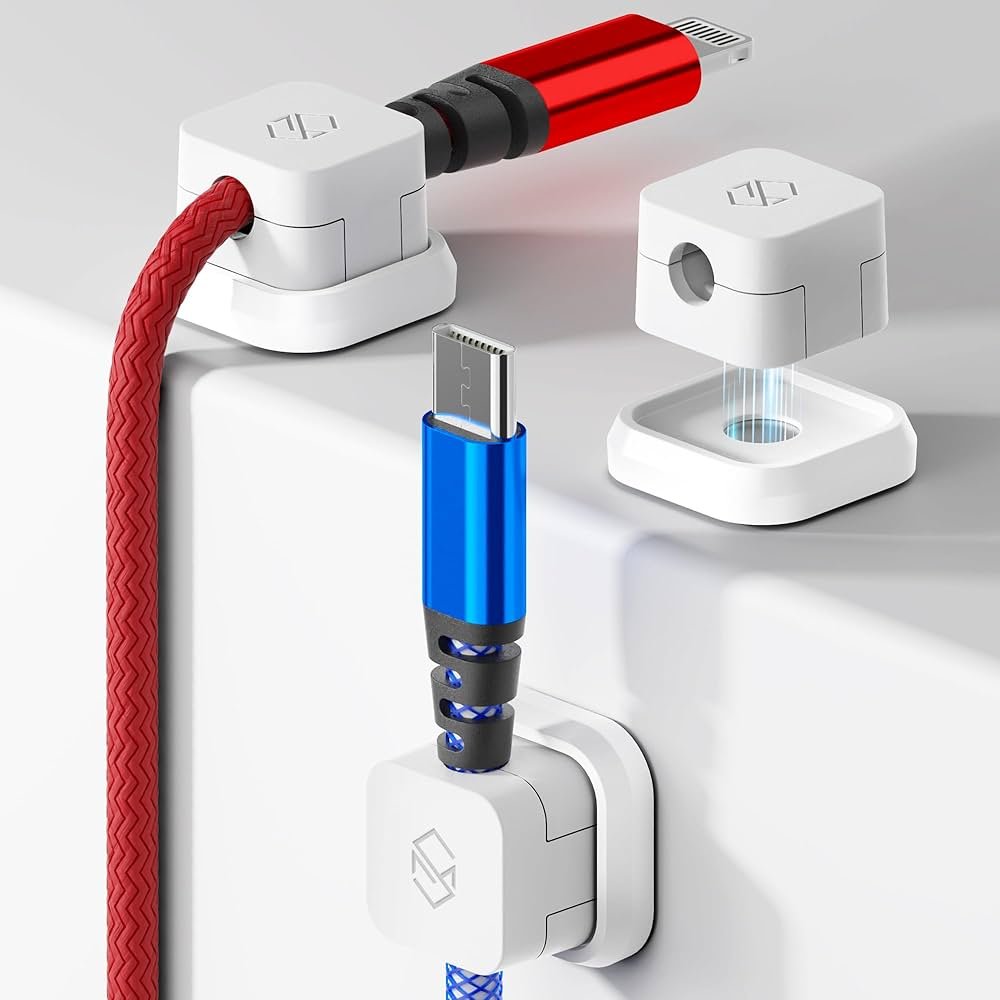
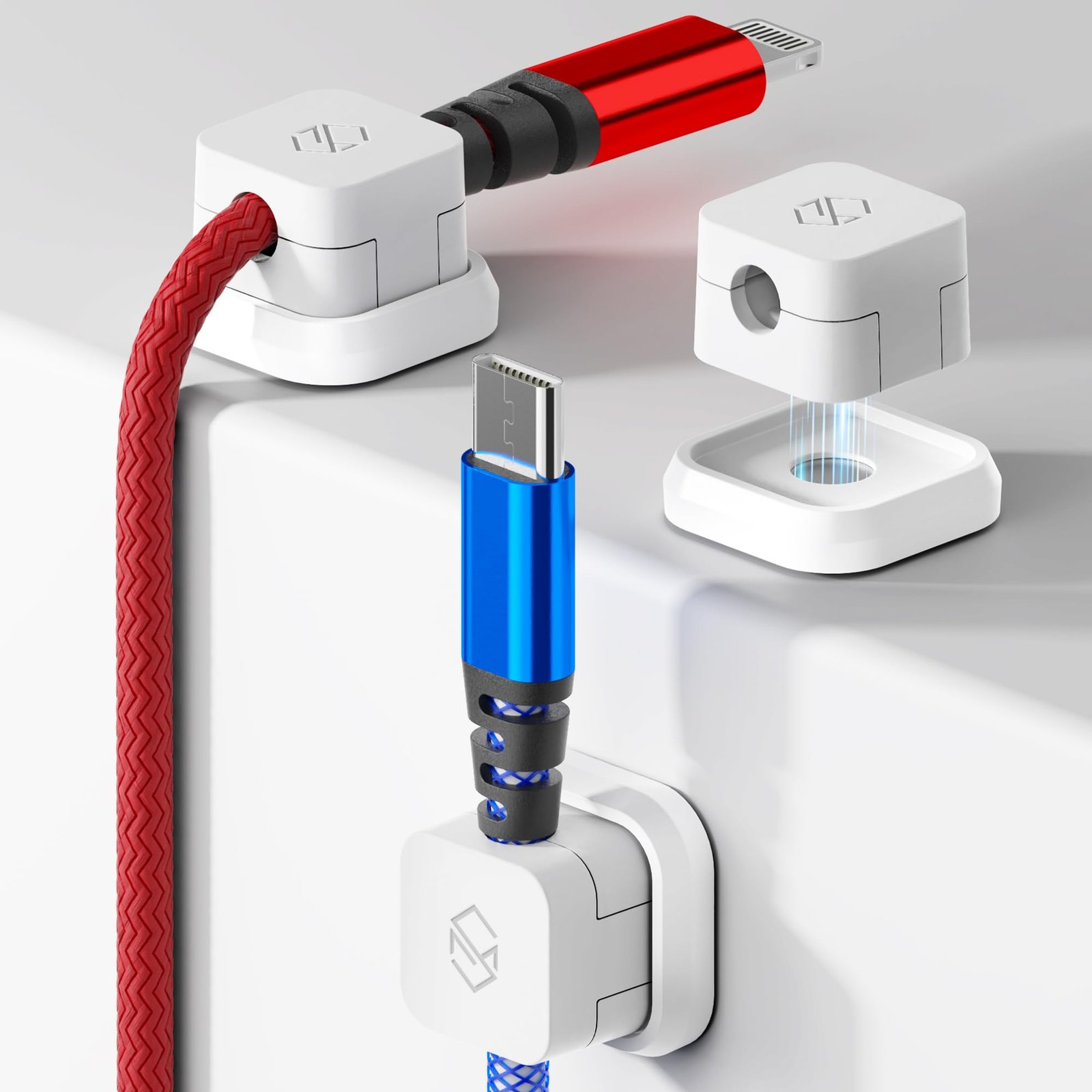
A magnetic cable holder is a small device made to keep your charging and data cables organized on your desk. It usually has a base that sticks to your desk and several magnetic clips. These clips attach to your cables, and then snap onto the base when not in use. The strong magnets hold cables in place, stopping them from falling behind your desk or getting lost.
Unlike old cable management systems, which use hooks or sticky pads, magnetic holders offer flexibility. You can quickly attach or remove cables, and move the clips as needed. Some models let you slide the clips along the base, so you can adjust the position for different devices.
Why Desk Organization Matters
A cluttered workspace is more than just an eyesore. Studies show that organized desks improve productivity and reduce stress. When cables are tangled, you waste time and energy. If your phone charger falls behind the desk, you have to crawl under the table to get it—this breaks your concentration.
Magnetic cable holders help by:
- Keeping cables visible and within reach
- Reducing wear and tear on cables
- Making it easier to clean your desk
- Creating a more professional look for video calls
Having a neat workspace can even help you feel more motivated and less distracted.
How Magnetic Cable Holders Work
The design is simple, but the effect is powerful. Here’s how a typical magnetic cable holder works:
- Attach the base: The base usually has a sticky pad or reusable adhesive. You clean your desk surface and press the base down.
- Add magnetic clips to cables: You open each magnetic clip and wrap it around the cable. These clips are small and light.
- Snap cables to base: The magnets inside the clips connect to the base, holding the cables in place.
Some holders use stronger magnets for thick cables. Others have multiple slots for different types of cords, like USB, Lightning, or headphone cables.
Key Features To Look For
Choosing the right magnetic cable holder is important if you want it to last and work well. Here are the main features that matter:
Magnet Strength
The magnet strength decides how well the clips stay on the base. If the magnet is too weak, cables may fall off easily. If it’s too strong, removing the cables can be difficult. Most popular holders use neodymium magnets, which are small but powerful.
Base Adhesion
A good base should stick to your desk without leaving marks. Some use 3M adhesive pads, which are strong and easy to remove. Others use a reusable sticky gel. Glass or uneven surfaces may need stronger adhesives.
Clip Size And Cable Compatibility
Not all cables are the same thickness. Make sure the clips fit your cables. For example, a USB-C charging cable is usually thicker than an Apple Lightning cable. Some holders include clips of different sizes for this reason.
Number Of Slots
Think about how many cables you use daily. Some holders have three slots, while others have up to six or more. If you use a laptop, phone, and headphones, at least three slots are useful.
Material And Durability
Most holders are made from silicone, plastic, or aluminum. Silicone is flexible and easy to clean. Aluminum looks premium and lasts longer. Avoid holders with cheap plastic, as they may break after a few months.
Design And Color
A cable holder sits on your desk, so style matters. Many brands offer holders in black, white, gray, or even wood finishes to match your setup.
Credit: www.walmart.com
Benefits Of Using A Magnetic Cable Holder
People often underestimate how much a simple organizer can improve their daily routine. Here are some benefits you’ll notice:
- Time savings: No more searching for missing cables
- Clean look: Your desk stays tidy, even with many devices
- Longer cable life: Cables don’t bend or get pulled, so they last longer
- Easy access: Grab any cable with one hand, no hassle
- Flexible use: Move the clips or base when you rearrange your workspace
An extra insight: If you use multiple devices with different cable types, you can color-code the clips or use different bases for work and personal devices.
Comparing Popular Magnetic Cable Holders
Here’s a look at three top-selling magnetic cable holders. This comparison can help you see the differences at a glance:
| Brand & Model | Number of Slots | Material | Magnet Strength | Adhesion Type |
|---|---|---|---|---|
| Syncwire Magnetic Cable Organizer | 5 | Silicone & Metal | Strong (Neodymium) | 3M Adhesive |
| BlueLounge MagDrop | 3 | Silicone | Medium | Sticky Gel |
| Anker Magnetic Cable Holder | 4 | Aluminum & Silicone | Strong | 3M Adhesive |
Notice that number of slots and magnet strength are two features that change the most.
Real-world Experience: What Users Say
After testing several models on different desks, some things become clear. Most users love the feeling of grabbing a cable in one motion—no more cables slipping away. Silicone bases stay clean and soft, and the magnets rarely lose their grip.
However, a few issues come up:
- On rough or curved surfaces, the base may not stick well.
- Very thick cables (like some power cords) may not fit the clips.
- Dust can build up on silicone bases, though it’s easy to clean.
One beginner mistake is placing the base too close to the desk edge. It’s better to place it a few inches back, so cables don’t hang off the desk.
Practical Tips For Setting Up Your Magnetic Cable Holder
To get the most out of your new organizer, follow these steps:
- Clean the desk area where you’ll stick the base. Dust or oil can make the adhesive weak.
- Test the position before peeling the adhesive. Place your devices and see where cables naturally fall.
- Attach the clips to your cables, making sure they’re snug but not too tight.
- Snap the clips to the base. Check that each cable reaches your device comfortably.
- Label the clips if you have similar-looking cables. Some people use small colored rings or write on the clips with a marker.
For people who move their desks often, choose a holder with a reusable sticky base. That way, you can move it without losing stickiness.
Credit: www.amazon.com
Who Should Buy A Magnetic Cable Holder?
While anyone can use these organizers, some people will benefit more than others:
- Remote workers with laptops, monitors, and phones
- Gamers with multiple controllers and charging cords
- Students in dorm rooms with limited desk space
- Home offices where neatness matters for video meetings
- People who hate clutter and want everything in its place
If you only use one cable, a magnetic holder may feel unnecessary. But if you juggle several devices, it’s a small upgrade that makes a big difference.
Potential Drawbacks And Limitations
No product is perfect. Here are a few things to watch out for:
- Not for heavy cables: Power cords for laptops or monitors may be too thick or heavy.
- Adhesive may weaken: If the desk is dusty or oily, the base can fall off after a few months.
- Limited color choices: Most holders come in basic colors, which may not match every desk.
- Magnets and electronics: While magnets are generally safe, keep them away from old hard drives or credit cards.
One less obvious issue: Some magnetic holders are not compatible with braided or fabric-covered cables, as the clips may not grip tightly.
Price Range And Value
Prices for magnetic cable holders range from $10 to $25 for most models. Expensive versions may include extra clips or premium materials like aluminum. In general, you get what you pay for—cheaper versions may use weaker magnets or poor adhesives.
Here’s a quick price comparison:
| Model | Typical Price (USD) | Extra Clips Included |
|---|---|---|
| Syncwire Magnetic Cable Organizer | 14.99 | Yes (2 extra) |
| BlueLounge MagDrop | 18.99 | No |
| Anker Magnetic Cable Holder | 24.99 | Yes (4 extra) |
Even the most expensive holders are a small investment compared to replacing damaged cables.
Alternatives To Magnetic Cable Holders
If a magnetic holder doesn’t fit your needs, there are other ways to manage cables:
- Cable clips: Simple plastic clips you stick to your desk
- Cable sleeves: Gather all cables inside a fabric tube
- Under-desk trays: Hide all cables out of sight
- Wireless charging: Fewer cables, but only works with compatible devices
Magnetic holders offer the fastest access, but other options may work better if you need to hide many thick cables.
Environmental Impact
One detail many buyers miss: the materials used in cable holders matter for the environment. Silicone and aluminum are more recyclable than plastic. Also, reusable adhesive bases reduce waste, as you don’t need to replace them often.
Some brands use packaging made from recycled materials. If you care about sustainability, check the product details before buying.
Where To Buy And What To Expect
You can find magnetic cable holders on Amazon, electronics stores, or even big supermarkets. Read reviews before buying, and check the return policy in case the clips don’t fit your cables. Some brands offer a one-year warranty.
Shipping is usually fast for small items. Installation takes less than five minutes, and you’ll notice the difference right away.
For more details about desk organization and cable management, see this cable management guide on Wikipedia.
Credit: www.amazon.com
Frequently Asked Questions
How Do I Clean A Magnetic Cable Holder?
Most holders are made from silicone or metal. You can wipe them with a damp cloth to remove dust. For sticky bases, avoid strong cleaners—just use water.
Will The Magnets Damage My Phone Or Laptop?
No, the small magnets in cable holders are safe for modern electronics. They don’t affect phone memory, screens, or laptops. However, keep them away from old hard drives or credit cards.
Can I Use One Holder For All Types Of Cables?
Most holders work with USB, Lightning, and charging cables. Thicker cables, like power cords, may not fit. Always check the clip size before buying.
Is Installation Permanent?
No, most holders use removable adhesive. You can move them to another spot, but the sticky pad may lose strength if moved often.
Do Magnetic Cable Holders Work On Glass Desks?
Yes, but the adhesion may be weaker on smooth glass. Clean the surface well and press firmly. Some brands include stronger adhesive pads for glass surfaces.
A magnetic cable holder for your desk is a simple, affordable way to keep your workspace tidy and efficient. With the right choice, you’ll spend less time searching for cables and more time focusing on what matters.