
Hiding router and modem cables can make any room look clean and organized. Messy wires can make even a beautiful home office or living room feel cluttered. More importantly, exposed cables can be a safety hazard for kids and pets.
If you want your space to look better and stay safe, learning how to hide router and modem cables is a smart move. You don’t need to be an expert—just a few simple solutions can make a big difference.
How to Hide Router and Modem Cables: Quick Answer
To hide router and modem cables, first keep the devices in an open, ventilated spot, then route cords behind furniture, bundle loose wires with sleeves, use adhesive clips for clean paths, and place power strips or extra cable length inside a ventilated cable management box.
| Method | Best For | Safety Note |
|---|---|---|
| Cable management box | Power strips and extra cable length | Use a box with airflow holes to avoid heat buildup. |
| Adhesive cable clips | Routing cables behind desks or shelves | Do not pinch or sharply bend network cables. |
| Cable sleeves | Bundling several wires together | Leave connectors easy to access for troubleshooting. |
| Wall raceways | Visible wall runs | Choose removable raceways if you rent. |
| Behind furniture | Quick no-tool hiding | Keep the router open enough for good Wi-Fi signal. |
Today, you’ll discover practical ways to hide those ugly wires without blocking your Wi-Fi signal or overheating your devices. You’ll also see common mistakes people make and learn how to avoid them. Whether you rent or own your place, these tips will help you get a cleaner look without damaging your walls or furniture.
Let’s explore how you can keep your internet setup tidy and stylish.
Why Hiding Router And Modem Cables Matters
Most people focus on buying the best router or fastest modem but forget about cable management. When cables are visible, they collect dust and can get tangled. This makes cleaning harder. In homes with kids or pets, loose cables can quickly become a tripping hazard.
A tidy setup isn’t just about looks. When cables are well managed, your devices often perform better. You reduce the risk of accidental unplugging and make it easier to troubleshoot problems. Plus, hiding cables makes it easier to move furniture or vacuum without getting stuck.
Planning Your Cable Management
Before you start hiding cables, take a few minutes to plan. This step saves time and helps avoid mistakes.
- Check cable length: Measure the length you need. Buy longer cables if yours are too short for a neat route.
- Identify power outlets: Place your router and modem close to outlets to reduce visible power cords.
- Map the path: Decide where cables will go—behind furniture, along walls, or under carpets.
- List devices: Note all gadgets connected to your router (smart TV, PC, game console). This helps you plan for all cables, not just the main ones.
A good plan means fewer surprises and a smoother setup.
Credit: www.amazon.com
Solutions For Hiding Router And Modem Cables
1. Use Cable Management Boxes
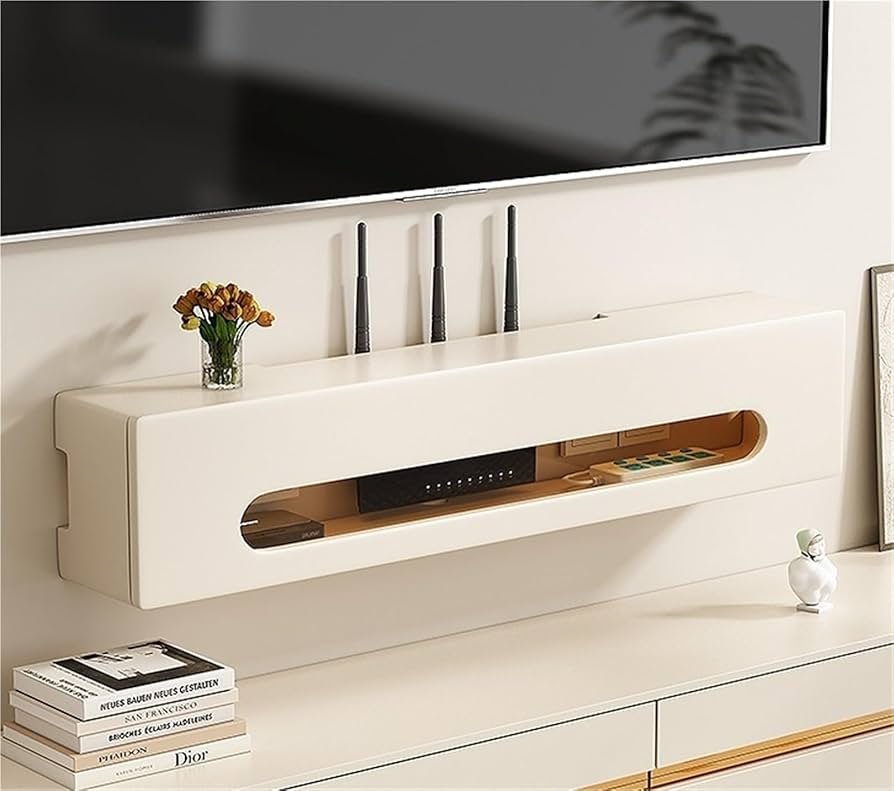
A cable management box is a quick way to hide extra cable length and power strips. Place your modem, router, and power brick inside, then run cables through holes at the ends. These boxes come in different sizes and colors to match your decor.
Benefits:
- Keeps dust away from plugs
- Hides bulky adapters and extra cord
- Easy to open for maintenance
Tip: Make sure the box has airflow holes so your devices don’t overheat.
2. Run Cables Behind Furniture
One of the simplest tricks is to run cables behind your TV stand, bookshelf, or desk. Most furniture naturally blocks the view of wires.
How to do it:
- Move the furniture slightly away from the wall.
- Run cables neatly along the back edge.
- Use small adhesive clips to hold them in place.
This method is free and doesn’t require tools. However, be careful not to crush cables, which can damage them over time.
3. Use Adhesive Cable Clips And Hooks
Adhesive cable clips are small plastic holders with sticky backs. You can stick them to walls, furniture, or desks to guide cables neatly.
Steps:
- Clean the surface before sticking clips.
- Space clips every 30–50 cm to prevent sagging.
- Snap cables into the clips.
These clips are easy to remove and won’t damage walls, making them ideal for renters.
4. Hide Cables With Cable Sleeves
A cable sleeve is a flexible tube that wraps around several cables, turning messy wires into a single neat bundle.
Advantages:
- Protects cables from pets who like to chew
- Reduces dust build-up
- Available in fabric or plastic
Choose a sleeve that matches your wall or floor color for the best look.
5. Use Raceway Channels For Walls
A cable raceway is a plastic channel that sticks to your wall and hides cables inside. It’s especially useful when you can’t run wires through the wall.
Installation:
- Cut the raceway to the right length.
- Peel off the adhesive backing.
- Stick to the wall above the baseboard or along the ceiling.
- Snap the cover shut with cables inside.
Most raceways can be painted to match your wall, making them almost invisible.
6. Hide Cables Under Carpets Or Rugs
If your modem and router are far from each other, running cables under a rug is a clever solution. Use flat Ethernet cables for this, as they’re less noticeable and safer underfoot.
How-to:
- Lift the edge of the carpet.
- Lay the cable flat and smooth out any bumps.
- Replace the carpet or rug.
Avoid running power cables under rugs, as they can overheat.
7. Build A Diy Cable Panel
For a custom look, make a DIY cable panel from painted wood or foam board. Mount it a few centimeters from the wall behind your router setup. Run cables behind the panel for a floating effect.
Steps:
- Cut a board to size and paint or cover it with wallpaper.
- Attach it to the wall using spacers.
- Guide cables behind the panel.
This solution is popular in home offices and gaming setups.
8. Use Decorative Baskets Or Boxes
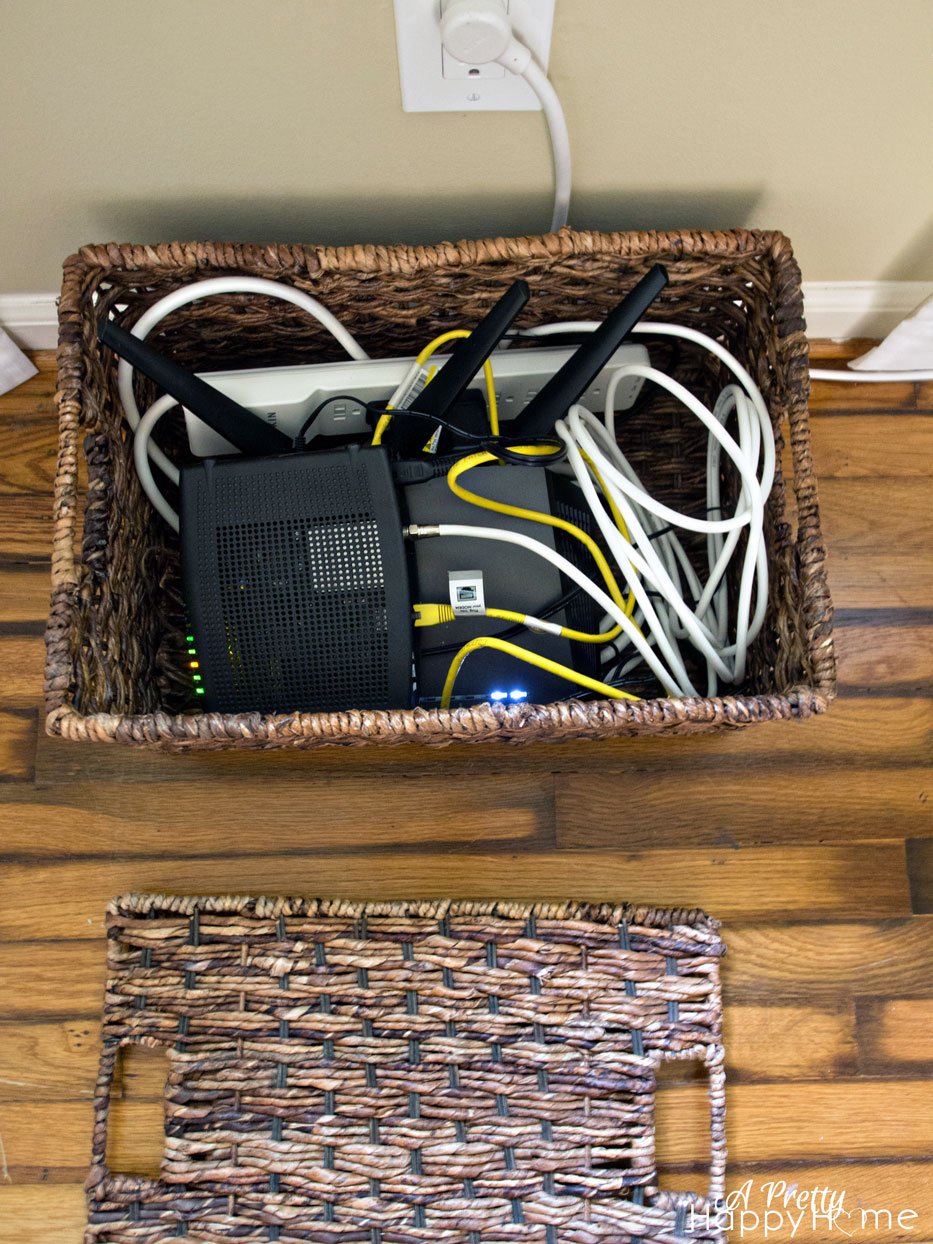
Decorative boxes or baskets can hide both your router and cables. Cut a hole in the back for wires to pass through. Choose a basket with open weave for good airflow.
Pros:
- Adds style to the room
- Hides messy plugs and power strips
- Easy to move if you rearrange furniture
Never place your router in a box with no ventilation—Wi-Fi signals need space, and devices can overheat.
9. Try Cord Concealer Paintable Strips
Paintable cord concealers are flexible strips you can stick to walls or baseboards. Once installed, paint them to match your wall color. This makes them nearly invisible.
Process:
- Clean the wall first.
- Stick the concealer over the cable.
- Paint after the adhesive dries.
These strips are ideal for long cable runs across visible walls.
10. Use Wall-mounted Shelves
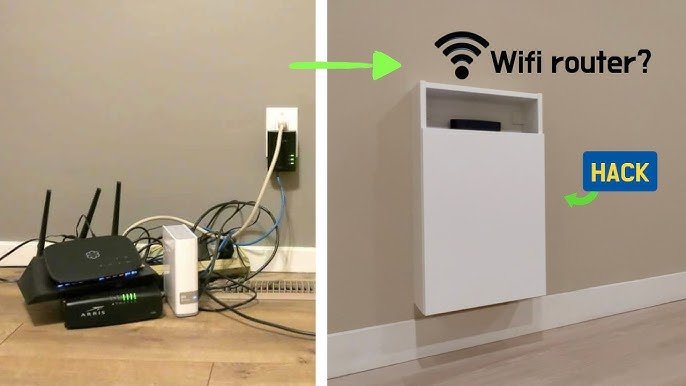
Mounting a small shelf high on the wall for your router and modem can help keep cables out of sight. Run wires down the wall inside a raceway or paintable strip.
Steps:
- Install the shelf near a power outlet.
- Place devices on the shelf.
- Use cable clips or raceways to guide wires down.
This keeps devices away from pets and kids, and the cables are barely visible.
11. Hide Cables In Wall Cavities (advanced)
If you own your home and don’t mind a bigger project, you can run cables inside your walls. This gives the cleanest look.
How it works:
- Cut two small holes in the drywall (one near the router, one near the device).
- Fish the cable through the wall cavity.
- Cover the holes with wall plates.
You may need special fish tape for this. Avoid running power cables with low-voltage Ethernet—keep them separate for safety.
12. Use Under-desk Cable Trays
Cable trays mount under your desk or table, keeping everything off the floor. They’re perfect for hiding power strips, adapters, and long cables.
Installation:
- Screw or clamp the tray under the desk.
- Lay cables inside and secure with zip ties.
This keeps your workspace neat and makes cleaning easier.
13. Use Spiral Cable Wraps
Spiral cable wraps are flexible plastic coils that bundle several wires together. They’re easy to install—just twist them around your cables. This method is great for temporary setups or when you often move your devices.
Extra tip: Choose a wrap color that matches your decor for a subtle look.
14. Combine Multiple Methods
You don’t have to pick just one solution. Often, the best result comes from combining methods. For example:
- Use a cable box near the power outlet.
- Run cables along the wall with a raceway.
- Hide extra slack under a desk tray.
Mixing solutions lets you adapt to your room’s layout and your devices.
Comparing Popular Cable Management Tools
Here’s a quick look at how some popular tools compare for hiding router and modem cables:
| Tool | Best For | Price Range | Ease of Use |
|---|---|---|---|
| Cable Management Box | Power strips, adapter mess | $10-$30 | Very Easy |
| Cable Raceway | Long wall runs | $12-$40 | Medium |
| Adhesive Clips | Single cables, desks | $7-$20 | Very Easy |
| Cable Sleeves | Multiple cables together | $8-$25 | Easy |
Credit: aprettyhappyhome.com
Common Mistakes To Avoid
Even with the best tools, some mistakes can ruin your cable-hiding efforts:
- Blocking Wi-Fi signals: Never put your router in a metal box or behind thick walls. Wi-Fi needs open space.
- Overheating: Modems and routers get warm. Always ensure air can flow around them.
- Using the wrong cable: Flat cables are best under rugs, but use high-quality shielded cables for long runs.
- Ignoring safety: Don’t staple or pinch cables too tightly—they can break inside.
- Forgetting future upgrades: Leave slack or easy access for when you add new devices.
Practical Tips For A Cleaner Setup
- Label your cables: Use small tags or color stickers to identify each cable. This helps when you need to unplug or troubleshoot.
- Bundle extra length: Don’t coil excess cable tightly; use loose loops to prevent overheating.
- Vacuum regularly: Hidden cables attract dust. Clean around your setup every few weeks.
- Check connections: After moving or hiding cables, test your internet and power before finishing.
- Upgrade old cables: Newer Ethernet and power cables are thinner and more flexible.
Credit: www.youtube.com
Example: Transforming A Living Room
Imagine a TV stand with a router, modem, game console, and smart speaker. The area is full of tangled cables. Here’s how to fix it:
- Unplug all devices and untangle cables.
- Place a cable management box on the floor for the power strip and adapters.
- Use flat Ethernet cable to run from the router to the TV, tucking it under a rug.
- Stick adhesive clips to the back of the TV stand to hold other cables.
- Bundle extra wires with a cable sleeve and hide them behind the stand.
The result: a clean, safe, and stylish media area with no visible mess.
When To Call A Professional
Some homes have very complex setups—especially if you need to run cables through walls or across multiple rooms. If you feel unsure, it’s wise to call a licensed electrician or a home networking expert. They can install wall outlets, raceways, or even custom cable panels safely.
Cost Vs. Benefit: Is It Worth It?
Hiding cables does require some time and investment, but the benefits are clear. A tidy setup:
- Makes your home safer for children and pets
- Improves the look of your space
- Makes cleaning and maintenance easier
Even spending just $20–$40 on basic tools can give you a big improvement over tangled wires.
Here’s a quick cost-benefit overview:
| Method | Approximate Cost | Setup Time | Visual Impact |
|---|---|---|---|
| Cable Box + Clips | $25 | 20 minutes | High |
| Raceway + Paint | $35 | 1 hour | Very High |
| Baskets/Decor | $15 | 10 minutes | Medium |
| In-Wall Solution | $60–$120 | 2–3 hours | Excellent |
Where To Buy Cable Management Products
You can find cable boxes, raceways, clips, and sleeves in hardware stores, electronics shops, or online. Look for quality brands and check customer reviews for durability and ease of use. For more ideas and inspiration, visit Wirecutter.
Frequently Asked Questions
How Do I Hide Router Cables Without Losing Wi-fi Signal?
Place your router in an open basket or on a shelf, and use cable management tools like boxes or clips. Avoid metal containers or closed cabinets, as these block signals.
Can I Put My Router And Modem In A Closed Box?
It’s best not to. Routers and modems need good airflow to prevent overheating. Use boxes with ventilation or decorative baskets with open sides.
Is It Safe To Run Ethernet Cables Under Rugs?
Yes, if you use flat Ethernet cables and avoid running power cords under rugs. Check for bumps to prevent tripping and avoid areas with heavy foot traffic.
What Is The Cheapest Way To Hide Cables?
Adhesive clips and spiral wraps are very affordable and effective for small spaces. For bigger jobs, combine these with cable sleeves or boxes.
Will Hiding Cables Make My Internet Faster?
No, hiding cables does not increase internet speed. However, good cable management prevents accidental unplugging and makes troubleshooting easier.
A clean, organized home looks better and feels better. By using these cable-hiding solutions, you’ll keep your space safe, stylish, and ready for work or relaxation.
