
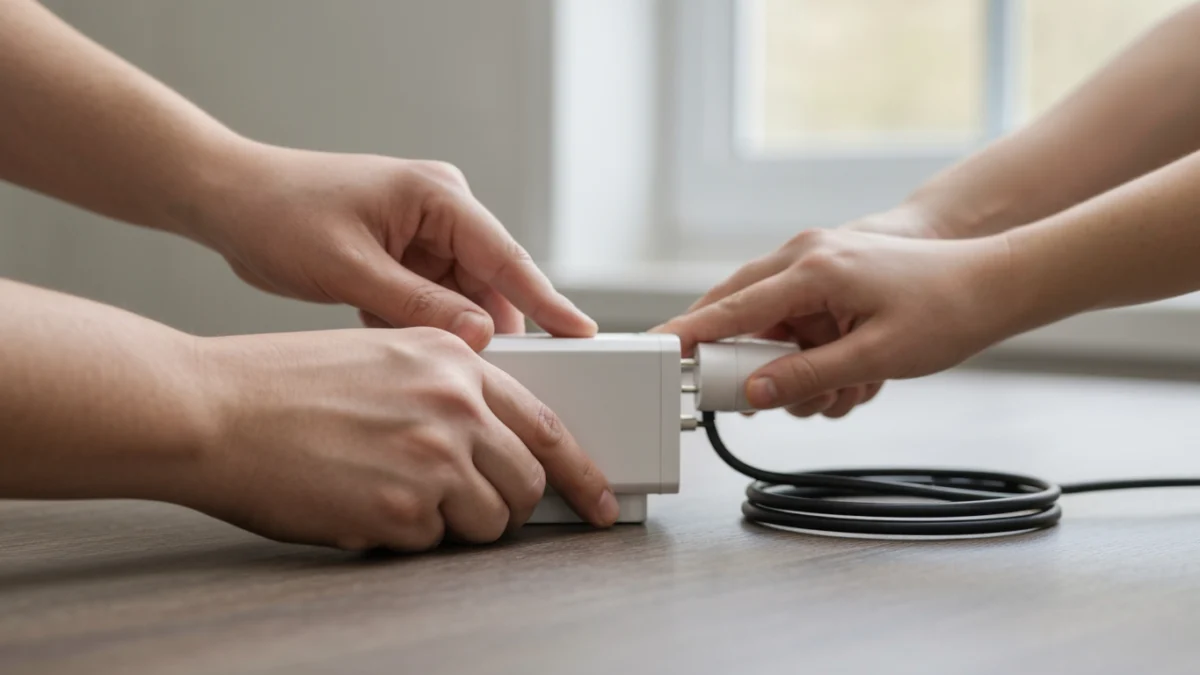
Smart plugs offer a straightforward way to introduce smart home capabilities to your existing ‘dumb’ appliances. By simply plugging a smart plug into a standard wall outlet and then connecting your appliance to the smart plug, you gain remote control over its power via a smartphone app or voice commands. This integration allows for convenient scheduling, energy monitoring, and enhanced control over everyday devices.
- Smart plugs convert standard appliances into smart devices.
- Control appliances remotely using a smartphone or voice assistant.
- Setup involves plugging in, connecting to Wi-Fi, and using an app.
- Compatible with many low to medium-power appliances like lamps and fans.
- Offers benefits like energy savings, convenience, and enhanced safety.
Understanding Smart Plugs: What They Are and How They Work
A smart plug is a compact device designed to fit into a standard electrical outlet, acting as an intermediary between the outlet and your appliance. Essentially, it’s a switch that can be controlled wirelessly. These devices typically connect to your home’s Wi-Fi network, allowing them to communicate with a dedicated smartphone application or a smart home hub.
Once connected, the smart plug enables you to remotely turn the power to the connected appliance on or off. Beyond simple power control, many smart plugs offer advanced features such as scheduling, timers, and energy monitoring. Some models also integrate with popular voice assistants like Amazon Alexa, Google Assistant, and Apple HomeKit, providing hands-free operation.
The internal mechanism of a smart plug includes a relay switch, a Wi-Fi module, and a microcontroller. When you send a command from your phone or voice assistant, it travels through your home network to the smart plug, which then activates or deactivates the relay, controlling the flow of electricity to the plugged-in appliance. This seamless communication transforms ordinary devices into smart, controllable components of your connected home.
Why Integrate Smart Plugs with Your Normal Appliances?
Integrating smart plugs with your normal appliances brings a multitude of benefits, enhancing convenience, efficiency, and safety within your living space. The ability to control devices remotely is a primary advantage, allowing you to manage your home even when you’re away.
One significant benefit is improved energy management. Many smart plugs include features that monitor energy consumption, helping you identify ‘vampire drain’ devices that consume power even when turned off. By scheduling these devices to power down completely when not in use, you can reduce unnecessary energy consumption and potentially lower your utility bills.
Smart plugs also offer enhanced safety. For instance, you can remotely verify if you left a curling iron or a space heater on and switch it off from anywhere. This peace of mind is invaluable. Furthermore, they can create an illusion of occupancy when you’re away by turning lights on and off at random intervals, deterring potential intruders.
Beyond practical applications, smart plugs contribute to a more comfortable and responsive home environment. Imagine waking up to freshly brewed coffee because your coffee maker was scheduled to start, or arriving home to a well-lit house. They are an accessible entry point into home automation, requiring no complex wiring or specialized technical skills.
Choosing the Best Smart Plug for Your Home
Selecting the right smart plug involves considering several factors to ensure compatibility and optimal performance with your specific needs and existing smart home ecosystem. Not all smart plugs are created equal, and understanding the differences can help you make an informed decision.
First, consider compatibility with your smart home platform. If you already use Amazon Alexa, Google Assistant, or Apple HomeKit, ensure the smart plug you choose integrates seamlessly with your preferred voice assistant. Most major brands support multiple platforms, but it’s always wise to double-check.
Next, evaluate the features offered. Basic smart plugs provide simple on/off control, while more advanced models include energy monitoring, scheduling capabilities, and even surge protection. Energy monitoring can be particularly useful for tracking and reducing power consumption of specific appliances. Some plugs also offer ‘away mode’ or ‘randomization’ for lights, enhancing home security.
Consider the physical design and rating. Standard indoor smart plugs are suitable for most household appliances. However, if you plan to control outdoor lights or decorations, you’ll need a weather-resistant outdoor smart plug. Always check the plug’s maximum wattage and amperage rating to ensure it can safely handle the appliance you intend to connect. Overloading a smart plug can be a fire hazard.
Finally, look at connectivity options. Most smart plugs use Wi-Fi, but some utilize Bluetooth, Zigbee, or Z-Wave. Wi-Fi plugs are generally easier to set up for beginners, as they connect directly to your home router. Zigbee and Z-Wave plugs often require a dedicated hub but can offer better range and a more robust mesh network for larger smart home setups.
How to Use Smart Plug with Normal Appliances: A Step-by-Step Guide
Integrating a smart plug with your normal appliances is a straightforward process that can be completed in just a few steps. Follow this guide to bring smart control to your home devices.
- Unbox and Inspect the Smart Plug: Carefully remove the smart plug from its packaging. Check for any visible damage or defects. Most smart plugs are compact and designed to fit into standard wall outlets without blocking adjacent sockets, though designs vary.
- Download the Manufacturer’s App: Before plugging in the device, download the corresponding smartphone application from your device’s app store (Google Play Store for Android or Apple App Store for iOS). Search for the brand name of your smart plug.
- Create an Account and Log In: Open the app and follow the prompts to create a new user account or log in if you already have one. This account will be used to manage all your smart devices.
- Plug the Smart Plug into a Wall Outlet: Choose an appropriate wall outlet for your smart plug. Ensure it’s within range of your home’s Wi-Fi network. Plug the smart plug firmly into the outlet. The plug will usually have an indicator light that starts blinking, signaling it’s in pairing mode.
- Add the Device in the App: In the smart plug’s app, look for an option to ‘Add Device’ or a ‘+’ icon. The app will guide you through the process of connecting the smart plug to your home Wi-Fi network. You’ll typically need to select your Wi-Fi network and enter its password. Ensure your phone is connected to a 2.4 GHz Wi-Fi network, as most smart plugs do not support 5 GHz.
- Plug Your Normal Appliance into the Smart Plug: Once the smart plug is successfully connected to your Wi-Fi and recognized by the app, plug your normal appliance (e.g., a lamp, fan, or coffee maker) into the smart plug’s outlet.
- Test Control and Customize: Use the app to turn the appliance on and off. If it responds, the setup is complete. You can then customize the device name (e.g., ‘Living Room Lamp’), set schedules, or integrate it with voice assistants through the app’s settings.
Which Normal Appliances Are Compatible (and Which Aren’t)?
Smart plugs are incredibly versatile, but it’s crucial to understand which appliances are suitable for use with them and which are best avoided. Compatibility primarily depends on the appliance’s power requirements and its operational design.
Compatible Appliances: Many common household items work perfectly with smart plugs. These include lamps, string lights, fans, humidifiers, dehumidifiers, slow cookers, coffee makers (without complex digital interfaces that reset), phone chargers, and small electronics. Appliances that simply turn on or off when power is applied are ideal candidates. For example, a lamp with a physical switch that stays in the ‘on’ position will turn on when the smart plug provides power.
Appliances to Avoid or Use with Caution: High-power appliances like space heaters, air conditioners, refrigerators, washing machines, and dryers typically draw more current than standard smart plugs are designed to handle. Using a smart plug with these devices can overload the plug or even the electrical circuit, posing a safety risk. Always check the smart plug’s maximum wattage and amperage rating against the appliance’s requirements.
Additionally, appliances with complex digital interfaces or safety features that require a manual reset after a power interruption are generally not suitable. For instance, some ovens or microwaves might not resume their previous state or could display an error after power is restored by a smart plug. Medical devices should never be connected to smart plugs due to potential reliability issues that could compromise patient safety.
Advanced Automation: Schedules, Routines, and Voice Control
Beyond simple remote on/off functionality, smart plugs unlock a world of advanced automation possibilities, making your home more intelligent and responsive to your lifestyle. These features leverage the connectivity of smart plugs to create seamless and personalized experiences.
Schedules and Timers: One of the most popular automation features is the ability to set schedules. You can program your smart plug to turn an appliance on or off at specific times of the day or on certain days of the week. For example, you can schedule your coffee maker to start brewing before you wake up, or have your porch lights turn on at dusk and off at dawn. Timers allow for temporary control, such as turning off a fan after an hour.
Routines and Scenes: Many smart plug apps and smart home platforms allow you to create ‘routines’ or ‘scenes.’ These are sequences of actions triggered by a single command or event. For instance, a ‘Good Morning’ routine could turn on your bedroom lamp, start a smart speaker, and activate your smart plug-controlled coffee maker simultaneously. A ‘Movie Night’ scene might dim the lights and turn on the TV and sound system.
Voice Control Integration: Seamless integration with voice assistants like Amazon Alexa, Google Assistant, and Apple Siri is a cornerstone of advanced smart plug use. Once linked, you can control your plugged-in appliances with simple voice commands. Imagine saying,{“@context”:”https://schema.org”,”@type”:”Article”,”headline”:”How to Use Smart Plug with Normal Appliances: A Complete Guide to Smart Home Integration”,”mainEntityOfPage”:”https://homegeartoday.com/?p=918″,”datePublished”:”2025-12-13T13:37:28+00:00″,”dateModified”:”2025-12-13T13:37:28+00:00″}
- Choose the Right Smart Plug
Select a smart plug compatible with your home Wi-Fi and any smart home system you use (Alexa, Google Home, or Apple HomeKit).
- Plug into the Outlet
Insert the smart plug into your wall outlet. Ensure the outlet is easily accessible and not behind furniture.
- Download the App
Download the manufacturer’s app on your smartphone. Open the app and create an account if required.
- Connect to Wi-Fi
Follow the in-app instructions to connect the smart plug to your home Wi-Fi network. Most use 2.4GHz band for setup.
- Plug in Your Appliance
Connect your normal appliance (lamp, fan, coffee maker) into the smart plug. The smart plug controls power to the appliance.
- Set Schedules and Automations
Use the app to set on/off schedules, create automations, and link with voice assistants for hands-free control of any appliance.
