
Setting up your home office desk might seem simple, but getting it right can make a huge difference in your comfort, health, and productivity. Many people who work from home struggle with back pain, neck stiffness, and tired eyes, often because their workspace is not set up in an ergonomic way.
Ergonomics means designing your workspace so it fits you and helps your body work naturally. When you set up your desk the right way, you can focus better, feel less tired, and avoid common injuries that come from poor posture.
In this guide, you’ll learn how to set up an ergonomic home office desk step by step. From choosing the right desk and chair to arranging your monitor, keyboard, and lighting, you’ll get clear advice and practical tips. You’ll also find some helpful tables comparing popular equipment and see answers to common questions at the end.
Why Ergonomics Matter In Your Home Office
When you spend hours at your desk, small problems add up. Sitting with your back rounded, reaching too far for your mouse, or looking down at your screen can cause muscle strain and joint pain. Over time, poor ergonomics may lead to conditions like carpal tunnel syndrome, headaches, and even long-term back issues.
Research from the Occupational Safety and Health Administration (OSHA) shows that office workers with good ergonomic setups report up to 60% fewer musculoskeletal problems. Plus, you’ll likely feel more energized and productive during the day.
Choosing The Right Desk
Your desk is the foundation of your workspace. It should have enough space for your computer, keyboard, mouse, and any other tools you need. But size is just the beginning.
- Desk height: Most desks are about 28-30 inches (71-76 cm) tall. For most people, this works well if you have an adjustable chair. When you sit, your elbows should be at a 90-degree angle when typing.
- Surface space: Make sure your desk is wide enough for your monitor to sit at least 20 inches (50 cm) from your eyes. You should also have space for a notebook, phone, or other items.
- Stability: A shaky desk can make working frustrating, especially if you type a lot.
If you’re considering a standing desk, here’s a quick comparison:
| Feature | Sitting Desk | Standing Desk |
|---|---|---|
| Cost | Lower | Higher |
| Space Needed | Less | More (for adjustable models) |
| Health Benefits | Good (with breaks) | Better (promotes movement) |
| Fatigue Risk | Possible with long sitting | Possible with long standing |
Non-obvious insight: If you use a standing desk, remember to use an anti-fatigue mat and wear supportive shoes. Standing for hours on hard floors can cause foot and leg pain.
Picking An Ergonomic Chair
A good chair is often the most important part of your setup. It supports your back and helps you sit with better posture.
- Adjustable height: Your feet should rest flat on the floor, or on a footrest. Knees should be at or just below hip level.
- Lumbar support: Look for a chair with a curve that fits the natural curve of your lower back.
- Armrests: These should let your arms rest comfortably with shoulders relaxed.
- Seat depth: You should have 2-4 inches (5-10 cm) between the edge of the seat and the back of your knees.
Here’s a comparison of some popular ergonomic chair features:
| Feature | Basic Office Chair | Ergonomic Chair |
|---|---|---|
| Height Adjustable | Usually | Always |
| Lumbar Support | Rare | Standard |
| Seat Depth Adjustable | No | Often |
| Price Range | Low | Medium to High |
Pro tip: Even the best chair can’t fix everything. Try to stand up or walk for a few minutes every hour.
Setting Up Your Monitor
Your monitor’s position affects your neck, eyes, and even your shoulders.
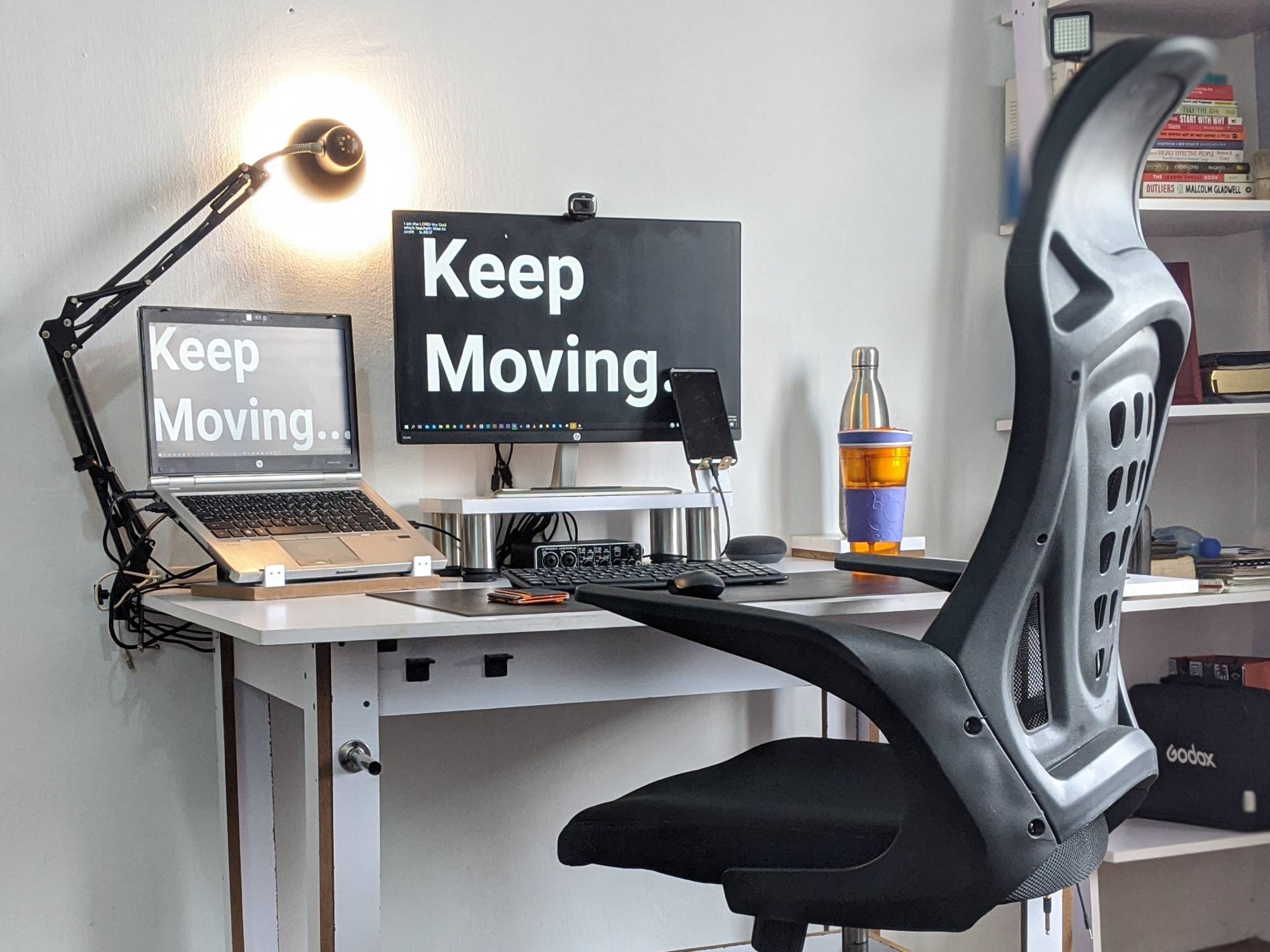
- Height: The top of the screen should be at or just below eye level. You shouldn’t have to tilt your head up or down.
- Distance: Place the monitor about an arm’s length (20-30 inches/50-75 cm) away from your eyes.
- Angle: Tilt the monitor back slightly (about 10-20 degrees) to reduce glare and keep your neck in a natural position.
- Multiple screens: If you use two monitors equally, position them side by side and at the same height. If one is primary, center it in front of you.
Non-obvious insight: If you wear bifocals or progressive lenses, lower your monitor slightly so you can look through the lower part of your glasses without tilting your head back.
Credit: www.popsci.com
Optimizing Keyboard And Mouse Placement
Typing and mousing shouldn’t cause wrist or shoulder pain. Here’s how to set up these important tools:
- Height: Your keyboard should be at a height where your elbows are at 90 degrees, and your wrists are straight—not bent up or down.
- Distance: Place your keyboard so it’s close to your body. You shouldn’t have to reach.
- Mouse: Keep your mouse right next to your keyboard, at the same level.
- Wrist support: Consider a soft wrist rest to keep your wrists in a neutral position, especially for long typing sessions.
Some people benefit from split keyboards or vertical mice, which can reduce strain on your hands and wrists. Try different options if you notice discomfort.
Managing Cables And Desk Accessories
A clean, organized workspace not only looks better but also helps you stay focused. Cables hanging everywhere can be distracting and even dangerous.
- Cable management: Use clips, ties, or sleeves to keep cables together and out of the way.
- Essential items only: Keep just the things you use daily on your desk. Store less-used items in drawers or shelves.
- Phone and notebooks: Place them within easy reach to avoid awkward stretching or twisting.
Here’s a simple example of how cable management options compare:
| Method | Cost | Best For |
|---|---|---|
| Cable Clips | Low | Few cables |
| Cable Sleeves | Medium | Many cables together |
| Under-Desk Trays | Higher | Permanent setups |
Pro tip: Label each cable at both ends. This saves time if you need to unplug or move devices.
Getting Lighting Right
Good lighting is often overlooked but can have a huge impact on comfort and focus.
- Natural light: Place your desk near a window if possible, but avoid direct sunlight on your screen to reduce glare.
- Desk lamp: Use a lamp with an adjustable arm so you can direct light where you need it.
- Overhead lighting: Avoid harsh fluorescent lights. Soft, warm light is easier on the eyes.
- Screen glare: Adjust your monitor position and use an anti-glare screen if needed.
A study from the American Society of Interior Designers found that 68% of office workers are unhappy with their lighting. Poor lighting can cause eye strain, headaches, and lower productivity.
Footrests And Standing Mats
If your feet don’t reach the floor, a footrest can help you sit with better posture. For standing desks, an anti-fatigue mat reduces pressure on your feet and legs.
- Footrest: Look for one with a non-slip surface and adjustable height.
- Standing mat: Choose a thick, cushioned mat that supports standing for longer periods.
Non-obvious insight: Some footrests can rock or move, letting you shift your feet and legs. This small movement helps reduce stiffness.
Plants And Personal Touches
Your workspace should feel pleasant, not sterile. Adding a small plant, photo, or favorite mug can make your desk feel more inviting and boost your mood.
- Plants: Studies show plants can improve air quality and reduce stress.
- Personal items: Just one or two is enough. Too many can become clutter.
Daily Habits For Ergonomic Success
Even the best setup needs good habits to work well. Here are some daily routines:
- Move every hour: Stand up, stretch, or walk for a few minutes.
- Eye breaks: Follow the 20-20-20 rule—every 20 minutes, look at something 20 feet away for 20 seconds.
- Check your posture: Shoulders relaxed, back straight, feet flat on the floor.
- Clean up: Tidy your desk at the end of the day to start fresh tomorrow.

Credit: www.humanscale.com
Example Ergonomic Desk Setup
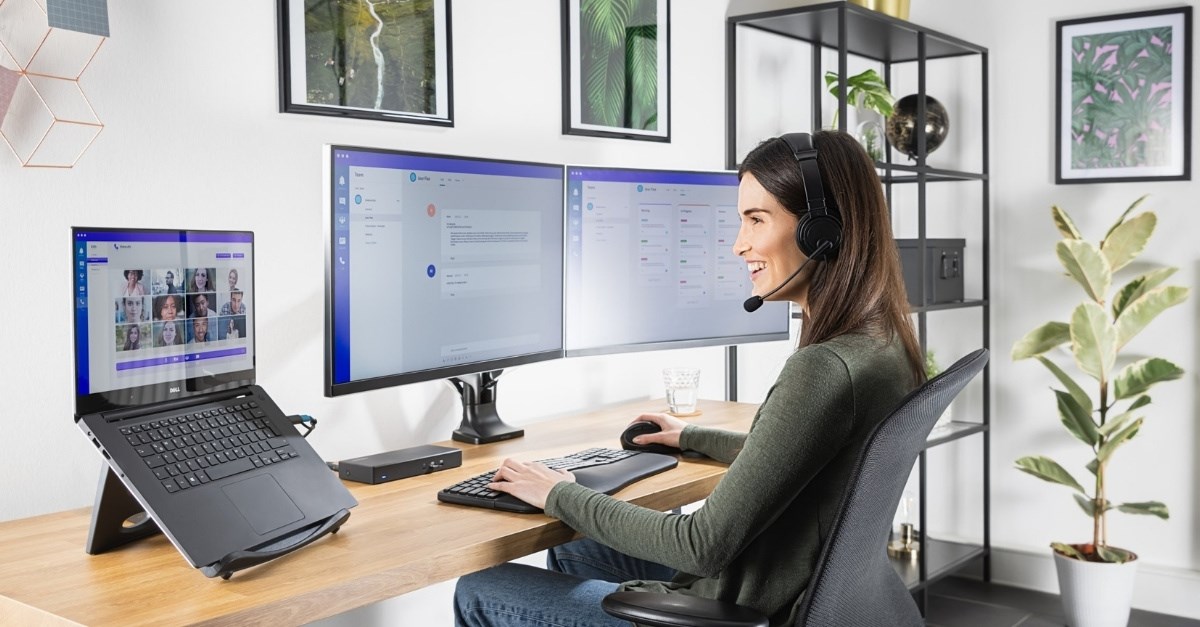
Let’s put it all together. Here’s what an ideal ergonomic home office desk looks like:
- Desk at elbow height, stable and wide enough for your needs.
- Chair with lumbar support, adjusted so feet are flat or on a footrest.
- Monitor at eye level, arm’s length away.
- Keyboard and mouse close, at the same level, with wrists straight.
- Good lighting from the side or above, no screen glare.
- Essential items within reach; cables managed and labeled.
- Optional: A small plant or personal item for comfort.
The Cost Of Poor Ergonomics
Ignoring ergonomics can be expensive—in time, comfort, and even medical bills. According to the U.S. Bureau of Labor Statistics, work-related musculoskeletal disorders account for 30% of all workplace injuries. Investing in a good setup is a smart way to protect your health and work performance.
Credit: www.kensington.com
Where To Learn More
If you want deeper guidance and research on ergonomic office setups, the Occupational Safety and Health Administration provides trusted resources and practical tips.
Frequently Asked Questions
How High Should My Desk Be For Proper Ergonomics?
Your desk should let your elbows rest at a 90-degree angle when you type. For most people, this means a desk height of 28-30 inches (71-76 cm). If your desk isn’t adjustable, use an adjustable chair and a footrest if needed.
Is A Standing Desk Better Than A Sitting Desk?
Both have benefits. A standing desk lets you move more and can reduce back pain, but standing too long can also cause fatigue. The best option is to alternate between sitting and standing, using each for 30-60 minutes at a time.
What Is The 20-20-20 Rule For Eye Health?
Every 20 minutes, look at something 20 feet (6 meters) away for 20 seconds. This simple habit reduces eye strain caused by staring at screens for long periods.
How Can I Prevent Wrist Pain When Typing?
Keep your keyboard at elbow height, and your wrists straight—not bent up or down. Use a soft wrist rest if needed and take breaks to stretch your hands and fingers.
Do I Really Need An Expensive Ergonomic Chair?
Not always. The most important features are adjustable height, lumbar support, and a seat that fits you well. Some budget chairs offer these features. Try different chairs if possible before buying.
Creating a comfortable, safe, and productive home office is an investment in your health and well-being. With the right ergonomic setup and smart daily habits, you can work better and feel better every day.
