
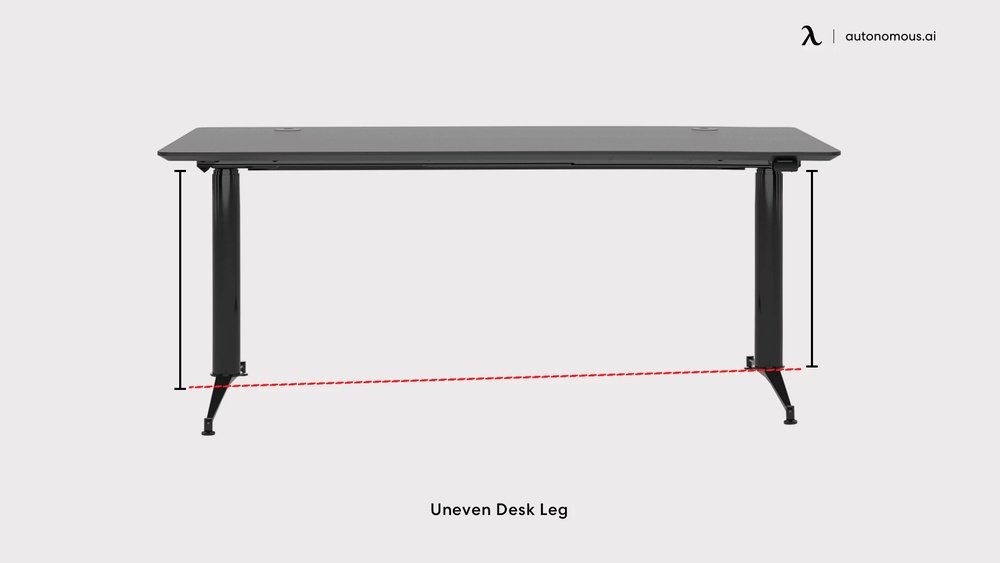
Many people use desks every day. But a shaky desk can be more than just annoying. It can hurt your work, damage your computer, and make you feel stressed. If your desk wobbles, you are not alone. This is a common problem in homes, offices, and schools.
Luckily, you can fix desk wobble using simple steps and tools. You do not need to be a carpenter or buy a new desk. With the right advice, almost anyone can make a desk stable.
Some desks shake because their legs are uneven. Others wobble because the floor is not flat or the screws are loose. Sometimes, the desk’s design is weak. In this article, you will learn all the ways to reduce desk wobble and stabilize your workspace.
You will see practical solutions, learn how to check what causes the wobble, and get tips for long-lasting results. This guide is for people who want a stable desk for study, work, or gaming.
What Causes Desk Wobble?
Before you fix a shaky desk, it helps to know why desks wobble. Here are the most common reasons:
- Uneven legs – If one leg is shorter or longer than the others, the desk will not sit flat. Even a small difference can cause a wobble.
- Weak joints and screws – Loose screws, bolts, or joints let the desk move. Over time, these parts can loosen from daily use.
- Floor problems – Many floors are not perfectly level. Small dips or bumps can cause one desk leg to hang in the air.
- Desk design – Some desks are made with light materials or thin legs. These are more likely to shake.
- Heavy weight on one side – If you put a computer, books, or other heavy items on one side, it can pull the desk unevenly.
- Wear and tear – Old desks may have cracks, warped wood, or worn-out hardware.
Knowing the cause helps you choose the right fix. Sometimes, it is a mix of several problems.
Step-by-step Guide To Reduce Desk Wobble
You do not need special skills to fix most desk wobble issues. Here are clear steps you can try:
1. Check And Tighten Screws
Loose screws are a very common reason for desk wobble. Use a screwdriver to check all screws and bolts under the desk and on the legs. If you find any loose parts, tighten them firmly. Do not overtighten, as this can strip the screw holes.
Tip: If screws keep getting loose, use a bit of threadlocker glue. This glue stops screws from moving over time.
2. Level The Desk Legs
If your desk legs are uneven, you can fix this easily:
- Use a bubble level to check if the desk is flat.
- Adjust the legs if your desk has adjustable feet. Turn them until the desk is level.
- If your desk does not have adjustable feet, place furniture pads or shims under the shorter leg. Thick cardboard or rubber works well for this.
3. Check The Floor
Sometimes the floor is the problem. Move your desk to a different spot and see if the wobble changes. If your floor has a bump or dip, use leg pads or a mat under your desk.
4. Strengthen Weak Joints
Some desks have joints that are weak or move too much. You can reinforce these by adding corner braces (metal brackets) to the inside corners. Attach them with screws for extra support.
5. Redistribute Weight
Heavy items on one side pull the desk unevenly. Move your computer, books, or printer closer to the center. Try to balance the weight across the desk surface.
6. Add Cross Bracing
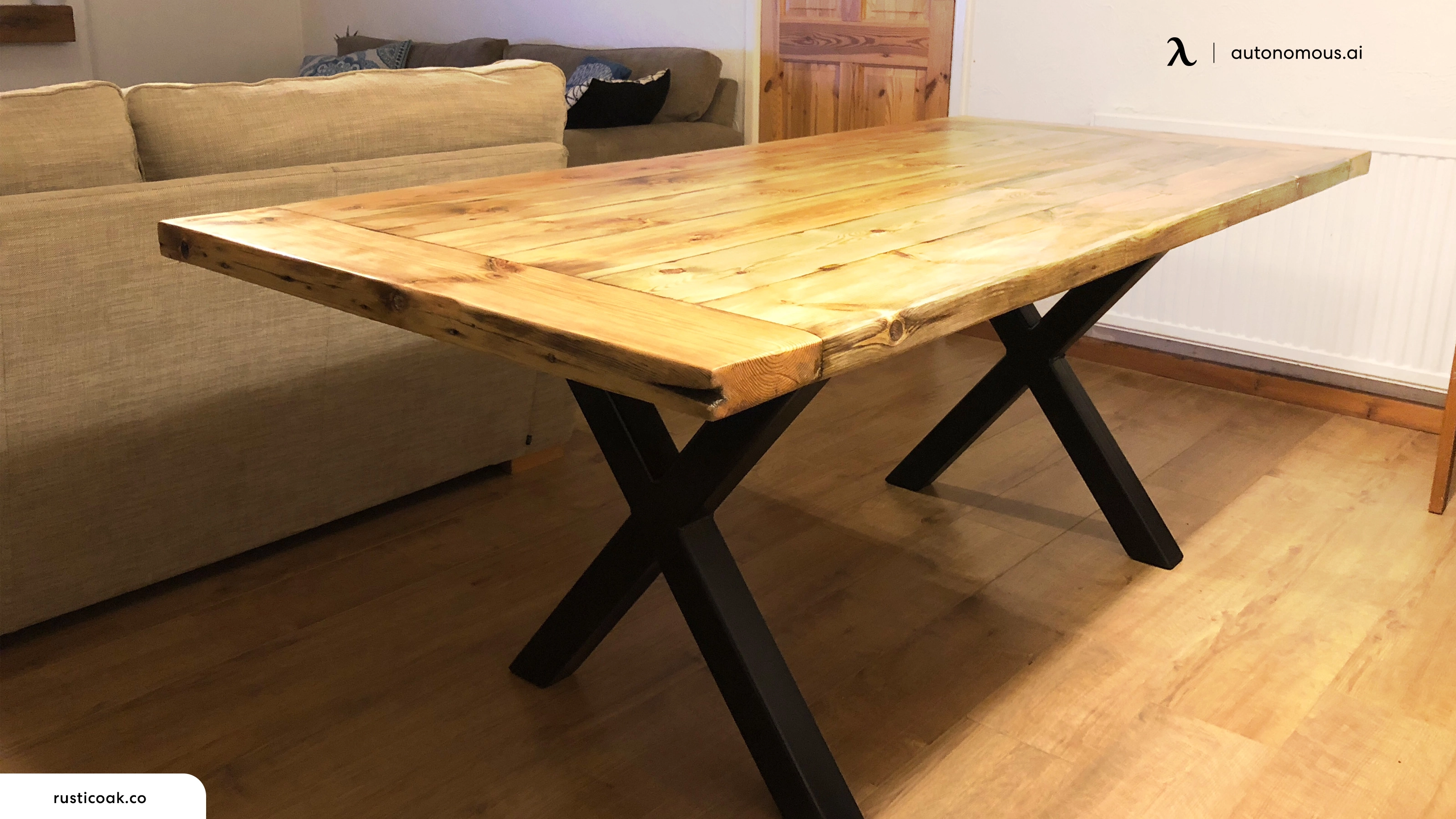
Cross bracing is a strong fix for desks with thin legs or weak frames. Use metal or wood braces in an “X” shape between the legs. This stops the legs from moving sideways.
7. Replace Damaged Parts
If the desk has cracked legs or bent metal, it may be best to replace those parts. Contact the desk maker for replacement parts or take the desk to a carpenter.
8. Use Anti-wobble Devices
There are special products made to stop desk wobble. These include anti-wobble feet, adjustable pads, or desk stabilizer bars. These are easy to install and can make a big difference.
9. Secure Desk To Wall
If your desk is still shaky after all fixes, you can anchor it to the wall. Use L-brackets to attach the desk to wall studs. This is best for desks that are used for heavy work or gaming setups.
Comparing Desk Stabilization Solutions
Here is a quick comparison of common desk stabilization methods. This table shows how each method works, cost, and difficulty.
| Method | Effectiveness | Cost | Skill Needed |
|---|---|---|---|
| Tighten Screws | Moderate | Low | Easy |
| Level Legs | High | Low | Easy |
| Add Bracing | Very High | Medium | Medium |
| Anti-Wobble Devices | High | Medium | Easy |
| Secure to Wall | Very High | Medium | Medium |
| Replace Parts | Varies | High | Hard |
Diy Desk Stabilizing Tools
You do not need expensive tools to fix desk wobble. Here are some useful items you can buy or find at home:
- Screwdriver – For tightening screws and bolts.
- Bubble level – To check if your desk is flat.
- Furniture pads – Soft pads for leveling legs.
- Shims – Thin pieces of wood, rubber, or cardboard.
- Corner braces – Small metal brackets for joints.
- Anti-wobble feet – Adjustable pads for desk legs.
- L-brackets – For attaching desk to wall.
Most of these tools cost between $5 and $20 in stores. You can also find many at hardware shops or online.

Credit: www.youtube.com
Desk Materials And Stability
Some desk materials are more stable than others. Here is a comparison of desk materials and how they affect wobble.
| Material | Stability | Durability | Weight |
|---|---|---|---|
| Solid wood | High | Long-lasting | Heavy |
| Metal frame | Very high | Long-lasting | Medium |
| Particle board | Low | Shorter lifespan | Light |
| Glass top | Medium | Medium | Medium |
| Plastic | Low | Shorter lifespan | Light |
Solid wood and metal frame desks wobble less. Cheap desks made of particle board or plastic are more likely to shake. If you want long-lasting stability, choose a desk made from strong materials.
Common Mistakes When Trying To Fix Desk Wobble
Sometimes, people try to fix desk wobble but make mistakes. Here are some errors to avoid:
- Using too many shims – Too many shims can make the desk unstable in other ways. Only use what is needed.
- Ignoring floor problems – Fixing the desk alone will not help if the floor is uneven.
- Forgetting to check all joints – Desk wobble can come from hidden places, like the back corners or under the top.
- Overtightening screws – This can damage the desk and make holes loose.
- Adding weight instead of fixing – Some people put heavy books on top to stop wobble. This rarely works and can make things worse.
Long-term Tips For Desk Stability
For a stable desk that lasts, follow these tips:
- Check screws and joints every few months.
- Use adjustable pads on all desk legs, even if the floor looks flat.
- Place heavy items in the center of the desk.
- Keep the desk away from windows or wet areas, as moisture can warp wood.
- If you move your desk, repeat all checks for wobble.
Advanced Solutions For Special Cases
Some desks need extra care, especially for special uses:
Standing Desks
Standing desks can shake more because they are taller. Use strong cross bracing and anti-wobble feet. Make sure the desk is level before you use it.
Corner Desks
Corner desks can wobble if one side is weaker. Use corner braces and check both sides for stability.
Heavy Equipment Desks
Desks for computers, printers, or music gear need strong frames and bracing. Secure the desk to the wall if needed.
Credit: www.autonomous.ai
Real-life Example: Stabilizing A Wobbly Desk
Let’s look at a real example:
Sarah bought a new desk for her home office. After setting it up, she noticed it wobbled every time she typed. She checked the floor and found a small dip under one leg. She used a bubble level, then placed a rubber pad under the short leg.
The wobble improved, but she still felt some movement.
Next, Sarah tightened all the screws and added metal corner braces under the desktop. She moved her heavy printer closer to the center. The desk stopped shaking. Now, Sarah works every day without distraction.
This shows that fixing desk wobble often needs more than one solution.
Desk Stability Statistics
According to a survey by the National Home Office Association in 2022, about 35% of people report desk wobble at least once a year. Most find that tightening screws and leveling legs solve the problem. Only 10% need to replace parts or anchor their desk to the wall.
Additional Resources
For more in-depth information about desk design and stability, see Wikipedia’s Desk page. It explains desk types, materials, and history.
Frequently Asked Questions
What Causes My Desk To Wobble When I Write?
Desk wobble while writing is often caused by uneven legs, loose screws, or a floor that is not flat. Check each of these areas and use furniture pads or tighten screws to fix the issue.
Can I Fix Desk Wobble Without Tools?
You can fix some wobble without tools. For example, use cardboard or rubber pads under the legs. But for loose screws or weak joints, a screwdriver or small wrench is needed.
Is It Safe To Anchor My Desk To The Wall?
Yes, anchoring your desk with L-brackets is safe and common, especially for desks holding heavy equipment. Make sure you attach brackets to wall studs, not just drywall.
How Often Should I Check My Desk For Wobble?
Check your desk every 3–6 months or whenever you move it. Regular checks help you catch problems early and prevent damage.
Which Desk Material Is Most Stable?
Solid wood and metal frame desks are the most stable. Desks made from particle board or plastic are more likely to wobble, especially as they age.
—
A stable desk helps you work better and feel comfortable. Even if your desk shakes now, you can fix it with simple steps. Remember to check legs, joints, floor, and weight. Use strong materials and regular checks to keep your desk steady for years.
These tips will help you create a workspace that feels solid and safe every day.

Credit: www.youtube.com
