
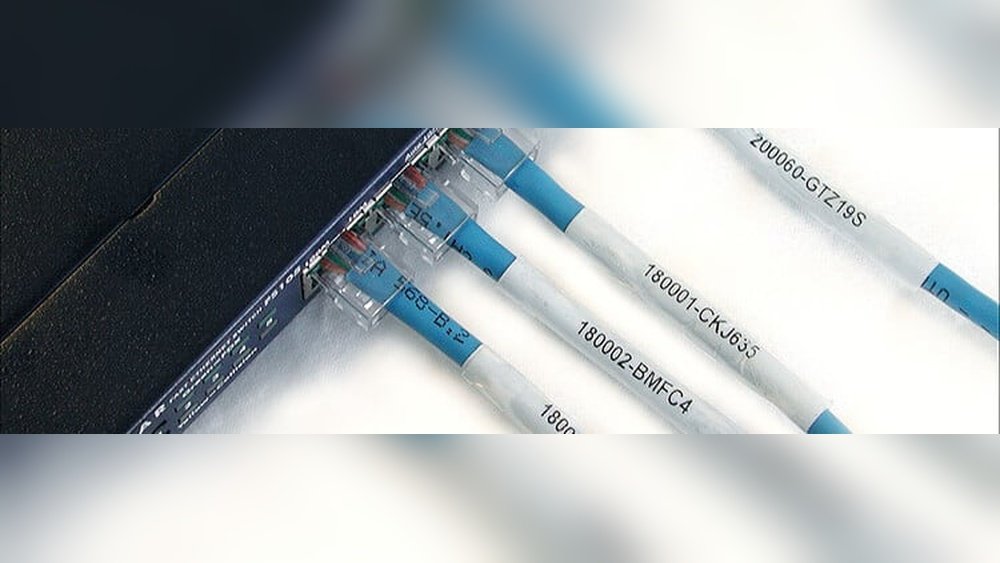
Cable Label Tags For Organization Guide
Have you ever tried to untangle a mess of cables behind your TV or computer? If yes, you know how frustrating it can be. Cables, wires, and cords can quickly become confusing, especially in homes, offices, or data centers. The solution is simple: cable label tags. These small tools help you quickly identify, organize, and manage your cables. But not all cable labels are the same. In this complete guide, you will learn everything about cable label tags, including how to choose them, how to use them, and practical tips for staying organized in any environment.
Why Cable Label Tags Matter
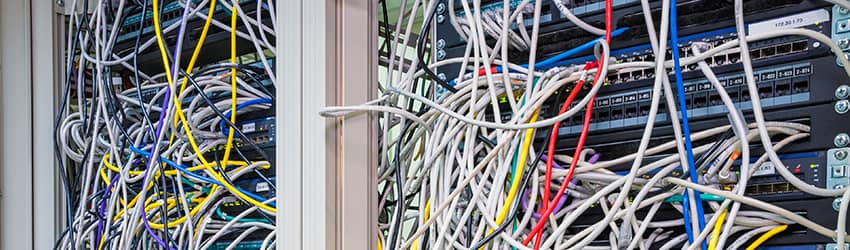
Cables look similar, and mixing them up can cause big problems. For example, unplugging the wrong wire can shut down a server or disconnect important devices. In homes, it can mean hours wasted trying to reconnect entertainment systems. Cable label tags solve these problems by helping you:
- Quickly find the right cable
- Reduce mistakes
- Save time during maintenance
- Improve safety by avoiding accidental unplugging
A study by the Cabling Installation & Maintenance magazine showed that 65% of IT professionals said cable labeling reduces troubleshooting time by more than half. This proves that labeling is not just for neatness—it increases efficiency.
Types Of Cable Label Tags
Choosing the right label depends on your needs. Here are the main types you’ll find:
| Type | Main Feature | Best For |
|---|---|---|
| Wrap-around Labels | 360° visibility | Home, offices, server rooms |
| Flag Labels | Extra space for info | Network cables, complex systems |
| Clip-on Tags | No adhesive, reusable | Audio/Video, rental equipment |
| Heat Shrink Labels | Permanent, tamper-resistant | Industrial, outdoor, professional wiring |
| Magnetic Labels | Easy to move, no residue | Metal cable trays, temporary setups |
Wrap-around Labels
These are the most common. You simply stick the label around the cable, making it visible from all sides. They are best for everyday use and fit most cable sizes.
Flag Labels
Flag labels stick out from the cable like a small flag. They provide more space for writing details, such as port numbers, device names, or dates. They are ideal for network or data center environments.
Clip-on Tags
These are made of plastic or rubber and snap onto the cable. They are reusable and leave no sticky residue. Clip-on tags are great for situations where cables are swapped or moved often.
Heat Shrink Labels
You slide these over the cable, then heat them with a heat gun. They shrink tightly and stay in place permanently. This type is best for outdoor wiring or places with harsh conditions.
Magnetic Labels
These are less common but useful for labeling bundles or cable trays made of metal. They can be removed and reused without any mess.
Where To Use Cable Label Tags
Cable labels are useful almost everywhere you find wires:
- Home Theaters: Label HDMI, power, and speaker cables to avoid confusion.
- Offices: Organize network, phone, and power cords under desks.
- Data Centers: Identify each server, patch panel, and switch connection.
- Workshops: Keep tool charger cords and extension cables sorted.
- Industrial Sites: Mark control panels and heavy machinery wiring.
- Events: Manage temporary wiring for sound, lighting, and video.
In all these places, proper labeling saves time and prevents costly mistakes.
Key Factors When Choosing Cable Label Tags
Not all label tags will work for every situation. Here’s what really matters:
1. Environment
Ask yourself: Is this area hot, cold, wet, or dusty? For outdoor or industrial use, choose waterproof and UV-resistant labels. For offices and homes, standard labels are usually enough.
2. Cable Diameter
Some labels are too small or too large for certain cables. Measure your cable diameter before buying. For thick power cords, use larger tags; for USB or headphone cables, smaller ones work best.
3. Permanent Vs. Removable
Do you want the label to stay forever, or do you need to change it often? Heat shrink and strong adhesive labels are permanent. Clip-on and magnetic labels are easy to remove or reuse.
4. Write-on Vs. Pre-printed
If you need custom text, buy write-on labels and use a fine-tip marker. For repeated use, you can order pre-printed labels with common names like “Printer,” “Monitor,” or “Router.”
5. Color Coding
Colors help you sort cables fast. For example, use red for power, blue for network, yellow for audio. Many brands sell mixed-color packs for this reason.
Step-by-step: How To Label Cables Effectively
Labeling is simple, but following these steps ensures the best results:
1. Gather Supplies
You will need label tags, a permanent marker (or label printer), and clean cables.
2. Clean The Cable Surface
Wipe off dust or oil. Labels stick best to clean surfaces.
3. Write Clearly
Use block letters or print labels for easy reading. Avoid smudging.
4. Place The Label Near The End
Attach the tag close to the device or plug for quick identification.
5. Use A Consistent System
Decide on a color or naming rule. For example, always write device type first (“Monitor – 1,” “Monitor – 2”).
6. Double Check
Before plugging cables back in, make sure each label matches the cable’s purpose.
7. Update As Needed
When you change a device or move cables, update the labels right away.
Examples Of Smart Cable Labeling
Let’s see how labeling can work in real situations.
Home Office
Ana works from home with a laptop, printer, monitor, and phone charger. Her cables used to be mixed up, causing her to unplug the wrong one. She started using wrap-around labels. She wrote “Laptop,” “Monitor,” “Printer,” and “Charger” and used different colors. Now, she finds the right cable every time.
Small Business
In a small business, eight computers share a patch panel. The IT manager uses flag labels with port numbers and employee names. If there’s a problem, he can trace any network cable in seconds.
Music Studio
A music studio has lots of audio, power, and instrument cables. They use clip-on tags for quick changes. Each tag shows “Mic 1,” “Guitar,” “Keyboard,” or “Speaker.” When a band comes in, they switch the tags easily.

Credit: andcable.com
Common Mistakes To Avoid
Even with good intentions, people make mistakes with cable labeling. Avoid these:
1. Using Paper Tape
Regular tape can fall off, fade, or become unreadable. Use real label tags.
2. Writing With Pencil Or Non-permanent Marker
Pencil fades, and non-permanent ink smears. Use a permanent marker.
3. Labeling Only One End
Always label both ends of longer cables. This avoids confusion during troubleshooting.
4. Overcrowding Information
Keep labels simple—just enough info to identify the cable.
5. Ignoring Updates
Don’t leave old or wrong labels on cables. Remove and replace them right away.
Diy Vs. Professional Cable Labels
You can make your own labels or buy professional ones. Which is better?
| DIY Labels | Professional Labels |
|---|---|
| Low cost, quick for small jobs | Durable, neat, best for big projects |
| Can use masking tape, marker | Special materials for heat, water, UV |
| Less durable, may fade or peel | Resist fading, smudging, and tearing |
| Not color-coded (unless you buy tape) | Available in many colors and sizes |
For home use, DIY is fine. For businesses or places with many cables, professional labels are worth the investment.
How To Maintain Cable Label Tags
After labeling, you must keep labels readable and secure. Here’s how:
- Check Labels Every 6 Months: Look for fading, peeling, or damaged tags.
- Replace as Needed: If a label is hard to read or falls off, put on a new one.
- Clean Around Labels: Dust and grime can hide labels. Wipe cables during regular cleaning.
- Store Extra Labels: Keep spare tags and markers in your tool kit for quick fixes.
A non-obvious tip: If you move often or rearrange devices, buy removable labels. They will not leave sticky residue and are easy to update.
Advanced Tips For Large Projects
Labeling 10 cables is easy. What about 100 or 1,000? Here are expert suggestions:
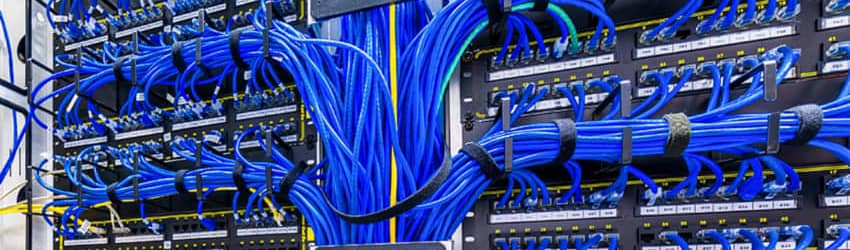
- Use a Label Printer: These machines print clear, uniform labels fast. Great for data centers or offices.
- Create a Cable Map: Draw or use a spreadsheet to document each cable’s path, device, and label name. This is helpful for audits or troubleshooting.
- Use Barcodes or QR Codes: For huge systems, print codes that link to digital records. Scan with a phone for instant info.
- Standardize Label Format: Decide on a label style (font, size, color) and stick with it across all cables.
- Train Staff: Teach everyone how to read, update, and use the labeling system.
These steps save hours in large or complex environments.
Credit: www.bradyid.com
Environmental Concerns And Sustainability
Many people forget that labels can affect the environment. Here’s what to consider:
- Choose Eco-Friendly Materials: Some brands offer labels made from recycled plastic or paper.
- Avoid Excess Waste: Only label what you need. Don’t use extra-large tags for small cables.
- Recycle Old Labels: Remove old plastic tags and recycle them if possible.
Using sustainable options makes organization better for the planet, too.
Popular Brands And Where To Buy
Many companies sell quality cable label tags. Some of the most trusted brands are:
- Brady: Known for industrial-strength labels.
- DYMO: Offers both home and office solutions.
- Panduit: Specializes in network and data center labeling.
- Brother: Makes label printers and tape.
- HellermannTyton: Offers a wide range of tagging products.
You can find these brands at hardware stores, online shops, or specialized electrical suppliers. For more details on cable management, visit the Wikipedia Cable Management page.
Credit: www.bradyid.com
Frequently Asked Questions
What Information Should I Put On A Cable Label Tag?
Include just enough detail to identify the cable: device name, port number, or function. For example, “Router – Port 1” or “Monitor Power.” For longer cables, consider labeling both ends.
Can I Use Regular Stickers Or Tape Instead Of Cable Label Tags?
While you can use regular stickers or tape in a pinch, they often peel off, fade, or get sticky over time. Real cable label tags are designed to last longer and stay readable.
How Often Should I Check And Replace My Cable Labels?
Check labels every six months, especially in busy or dusty environments. Replace any that are hard to read, faded, or falling off.
Are There Waterproof Or Heat-resistant Cable Label Tags?
Yes. Look for labels marked as waterproof, UV-resistant, or heat shrink. These are best for outdoor or industrial use, where conditions are harsh.
What Is The Best Way To Organize A Large Number Of Cables?
Use a combination of color-coded labels, a clear naming system, and a digital cable map. For very large setups, label printers and barcode/QR code systems make management much easier.
A well-labeled cable system saves time, avoids frustration, and makes your space safer and more professional. By choosing the right cable label tags and following the tips above, you can keep your cables organized for years to come.
