
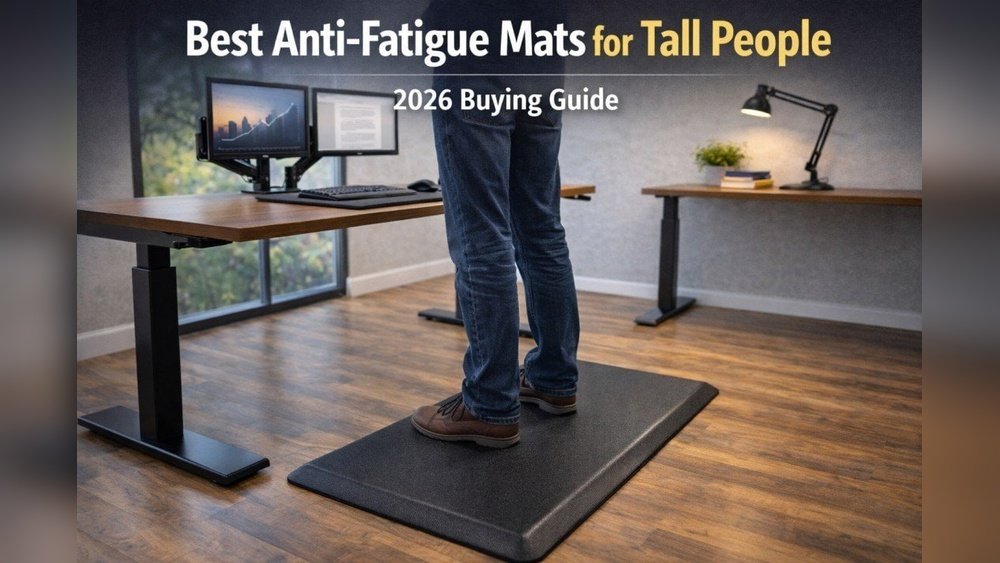
Standing desks are changing how people work. But if you use one for hours, you may notice sore feet, tired legs, and lower back pain. This is where an anti fatigue standing desk mat can make a big difference. Many workers, both in offices and at home, use these mats every day to stay comfortable, productive, and healthy. But with so many choices, how do you pick the right mat? This guide explains everything you need to know, from what makes these mats special to how to choose the best one for your needs.
What Is An Anti Fatigue Standing Desk Mat?
An anti fatigue mat is a specially designed floor mat that reduces discomfort and tiredness caused by standing for long periods. Unlike regular floor mats, these are made to encourage small movements in your feet and legs. This helps improve blood flow, reduce pressure on joints, and lower muscle fatigue. You might see these mats in factories or kitchens, but they are now common in offices with standing desks.
Why Use An Anti Fatigue Mat?
Standing at your desk all day can be as hard on your body as sitting. Without a mat, you may feel:
- Leg pain and soreness
- Lower back pain
- Swollen feet and ankles
- Tiredness and loss of focus
Research shows that standing on a hard floor for two hours can cause real discomfort. Even small changes, like using an anti fatigue mat, can reduce this pain. One study found that people using these mats felt 50% less leg and back pain compared to standing on hard surfaces.
This means you can stay on your feet longer, work better, and avoid long-term health problems.
How Do Anti Fatigue Mats Work?
These mats are made from materials like foam, gel, or rubber. They are not just soft—they gently push back as you stand, making your muscles work a little. This tiny movement encourages your body to shift weight and move your legs. Over time, this helps with:
- Better blood circulation
- Less joint pressure
- Improved comfort and energy
Some advanced mats also have raised patterns or massage points, which give extra support to your feet.
Key Features To Look For In A Standing Desk Mat
Choosing the best anti fatigue standing desk mat is not just about picking the softest one. You should look for:
- Material and durability: Foam mats are soft but may wear out faster. Rubber and gel mats last longer and handle heavy use.
- Thickness: Most mats range from 0.75 inches to 1 inch thick. Thicker mats are usually more comfortable but may make it harder to balance.
- Surface texture: Some mats are smooth, others have raised bumps or lines. Textured surfaces help prevent slipping and can massage your feet.
- Size and shape: Standard mats are around 20” x 30”. Choose a size that fits your workspace and lets you move easily.
- Beveled edges: Slanted edges reduce the risk of tripping.
- Non-slip bottom: A good mat stays in place, even on smooth floors.
- Easy to clean: If you eat or drink at your desk, pick a mat you can wipe clean.
Here’s a quick comparison of common mat materials:
| Material | Comfort | Durability | Best For |
|---|---|---|---|
| Foam | High | Medium | Light office use |
| Gel | Very High | High | All-day standing |
| Rubber | Medium | Very High | Heavy use, industrial |
Who Should Use An Anti Fatigue Mat?
Anyone who stands for an hour or more at a time can benefit. This includes:
- Office workers with standing desks
- Home office users
- Retail workers
- People cooking in the kitchen
- Receptionists
Even if you only stand for part of your work day, a mat can make a clear difference in comfort and health.
How To Choose The Right Mat For Your Needs
Picking the right mat depends on your workspace, habits, and body needs. Here’s how to narrow down your choice:
Consider Your Work Area
If your desk is small, a smaller mat (like 20” x 30”) works well. For bigger spaces or if you move around a lot, look for larger mats (up to 24” x 36” or more). Make sure the mat fits under your desk and does not get in the way of your chair.
Think About How Long You Stand
- Less than 2 hours/day: Basic foam mats may be enough.
- 2 to 6 hours/day: Look for mats with more support, like gel or thicker foam.
- 6+ hours/day: Choose heavy-duty mats, possibly with extra features like massage points.
Special Features
Some mats come with extra features:
- Massage mounds: Raised areas that rub your feet as you move.
- Balance bars or wobble zones: Encourage even more movement.
- Built-in foot rollers: For extra stretching.
If you like to move your feet or stretch while you work, these features add value. But if you prefer to stand still, a flat mat is better.
Allergies And Sensitivities
Some mats have strong smells when new (off-gassing). If you are sensitive to odors, look for mats labeled “low-VOC” (low volatile organic compounds) or ones made from natural materials.
Price Vs. Value
Good anti fatigue mats cost anywhere from $30 to $150. Cheaper mats may wear out quickly or lose support. Investing in a quality mat often saves money and discomfort in the long run.
Comparing Top Anti Fatigue Standing Desk Mats
Here’s how three popular types compare:
| Brand/Type | Material | Key Features | Price Range |
|---|---|---|---|
| Topo by Ergodriven | Polyurethane | Raised “terrain”, massage points | $90-$100 |
| Imprint CumulusPro | High-density foam | Beveled edges, non-slip | $50-$70 |
| Sky Solutions Comfort | Gel foam blend | Waterproof, stain-resistant | $35-$60 |
Non-obvious Insights Most Beginners Miss
Many first-time buyers think the softest mat is the best. In reality, too-soft mats can cause balancing problems and actually tire your legs more because your muscles work harder to keep you stable. Look for mats that bounce back but don’t let your feet “sink in.”
Another common mistake is forgetting about shoe type. Hard shoes (like dress shoes or heels) need more cushion, while athletic shoes work fine with medium-soft mats. If you often work in socks or barefoot, make sure the mat’s surface is smooth and easy to clean.
How To Use Your Anti Fatigue Mat Properly
Just putting a mat on the floor is not enough. Here’s how to get the most from it:
- Stand with good posture: Keep your feet shoulder-width apart and shift your weight now and then.
- Move often: Sway, stretch, or step in place. Mats with raised areas help remind you to move.
- Take breaks: Even with a mat, stand for 30–60 minutes, then sit or walk for a few minutes.
- Keep the mat clean: Dirt and spills can make the mat slippery or wear it out.
- Store correctly: If you switch between sitting and standing, slide the mat under your desk or hang it up to avoid tripping.
Common Mistakes When Buying Or Using A Mat
- Buying the wrong size: Too small and you can’t move; too big and it gets in the way.
- Ignoring cleaning instructions: Some mats crack or warp if cleaned with harsh chemicals.
- Not checking warranty: Good mats offer at least a 1-year warranty. Cheap mats may not last.
- Not trying before buying: If possible, stand on the mat in-store or check return policies.

Credit: featol.com
Health Benefits: What Science Says
Standing on a mat does more than just comfort. Studies from the Journal of Occupational and Environmental Medicine found that anti fatigue mats help reduce lower back pain, muscle stiffness, and tiredness during long standing periods. Some people also report better focus and less leg swelling.
One non-obvious benefit: regular use can improve your balance and leg strength over time, especially if you shift and move as you stand.
Caring For Your Standing Desk Mat
To make your mat last:
- Wipe spills quickly to prevent stains or slipping.
- Use mild soap and water for cleaning.
- Avoid sharp heels or objects, which can damage the surface.
- Store flat when not in use to prevent bending or curling.
With good care, a quality mat can last 3–5 years, even with daily use.

Credit: motiongrey.com
Real-world Example
Jessica, a graphic designer, switched to a standing desk and felt tired after just an hour. She bought a basic foam mat, but after a month, it flattened out and gave little support. She upgraded to a gel mat with massage points, and within a week, she noticed less leg pain and more energy through the day.
Now, she recommends anti fatigue mats to all her coworkers.
Expert Tip: Try Before You Buy
If you have a chance, try standing on different mats with your regular work shoes. Notice how your feet feel after a few minutes. Some office supply stores offer sample mats for this reason. If buying online, check the return policy—many brands let you test their mats for 30 days.

Credit: www.amazon.com
Comparing Anti Fatigue Mat Features Side-by-side
Here’s a look at how common features match different needs:
| Feature | Best For | What to Watch Out For |
|---|---|---|
| Massage points | Active standing, foot relief | Not ideal for barefoot use if sensitive |
| Beveled edges | Busy offices, safety | Check for strong sealing to prevent curling |
| Non-slip bottom | Tile or hardwood floors | May not grip well on carpet |
| Waterproof surface | Kitchen or drink spills | Can be slippery if wet |
When Not To Use An Anti Fatigue Mat
There are a few situations where these mats are not the best choice:
- In workplaces where rolling chairs are used all the time (mats can block wheels)
- On thick carpets (mats may slide or bunch up)
- If you need to move heavy equipment across the floor often
If you are not sure, ask your employer or check with the mat manufacturer.
Where To Buy Quality Anti Fatigue Mats
You can find anti fatigue mats at office supply stores, home improvement shops, or online. Look for brands with good reviews, clear return policies, and customer support. For trusted information, check out resources like Wikipedia.
Frequently Asked Questions
What Is The Ideal Thickness For An Anti Fatigue Mat?
Most people find mats between 0.75 and 1 inch thick are best. Thinner mats may not give enough support, while very thick mats can make you feel unstable.
Can I Use An Anti Fatigue Mat If I Wear High Heels?
It’s possible, but high heels can damage softer mats. If you wear heels, choose a high-density rubber or gel mat and check for a “puncture-resistant” label.
How Long Can I Stand On An Anti Fatigue Mat Each Day?
Most people can stand 2–4 hours with a mat, broken into shorter periods. Even with a mat, take sitting or walking breaks every 30–60 minutes.
Are Anti Fatigue Mats Safe For People With Balance Issues?
Yes, but choose a flat, firm mat without raised areas. Avoid mats with wobble zones or massage mounds, which can make balance harder.
How Do I Clean And Care For My Anti Fatigue Mat?
Wipe with mild soap and water. Avoid bleach or strong cleaners. Let the mat dry fully before use. Store flat to keep its shape.
An anti fatigue standing desk mat is a smart investment for comfort, energy, and health if you stand at work. By choosing the right mat and using it well, you can avoid pain, stay focused, and work better every day.
